
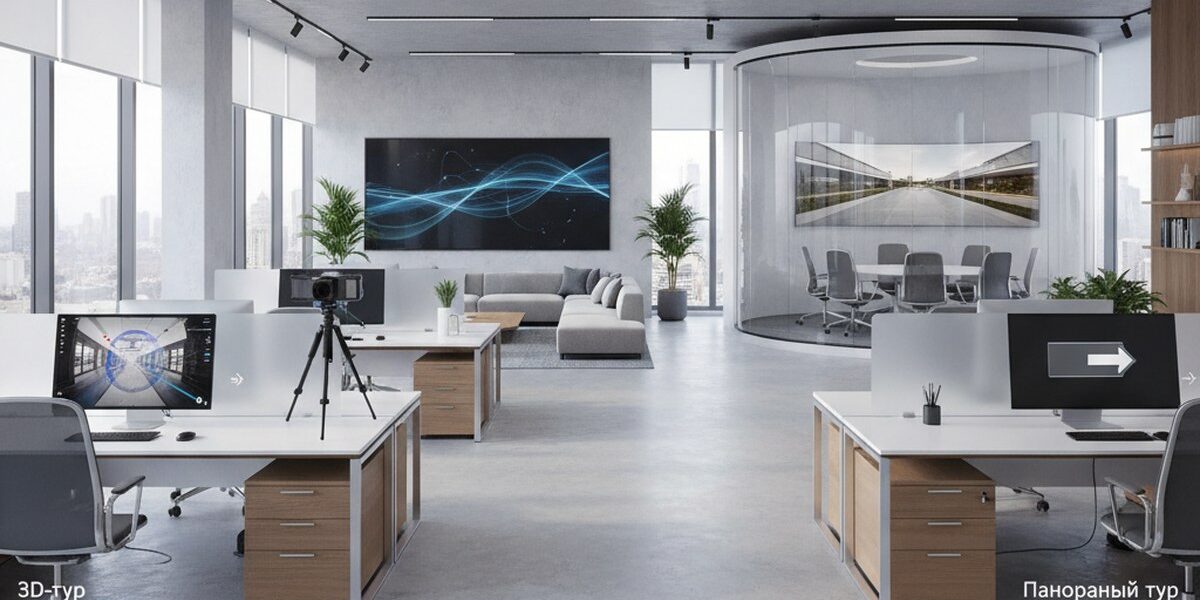
Panoramic tour difference 3D is a question that clients ask every week when they compare studio offers. The difference at first glance seems purely technical, but in fact it determines the budget, the shooting period and how the visitor behaves within the tour. Let's look at both formats using examples from our projects and tell you what to use for the task.
Panoramic tour - what it can do and where it stumbles
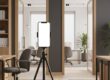
A panoramic tour is assembled from spherical photographs taken on a DSLR with a fish eye or on a “ball” like the Insta360 Pro. The frames are glued together, hotspots are placed, and the person “jumps” between the points, turning his head 360°.
Pros:
- The shooting goes quickly - we cover a 60 m² apartment in an hour and a half.
- Picture resolution is up to 12K per panorama, details of textiles and logos are readable right down to the seam.
- The estimate is below - with the same area, a panoramic tour is usually a third cheaper than a 3D one.
- Easy to incorporate into branding: splash screen, music, pop-up descriptions of dishes or SKU.
Cons:
- There is no free movement - only “teleport” from point to point.
- Floor plans are drawn manually by the designer and are not tied to real geometry.
- Measurements of furniture and openings are not available - only visual.
- The sense of volume fades: the guest sees a beautiful picture, but has a poor sense of scale.
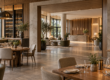
Fresh example. Furniture showroom in Kazan, 320 m², six style zones. It was important for the customer to show the upholstery textures and signatures of the collections. We shot 34 panoramas in one day and added links to product cards. Time on site increased from 42 seconds to 3 minutes.
3D tour on Matterport - what it can do and where it stumbles
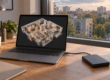
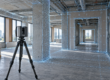
A camera with lidar or structured light works here (Matterport Pro3, Leica BLK, Insta360 X4 with harness). It takes hundreds of points and simultaneously measures distances. The result is a three-dimensional model on which the visitor walks smoothly and does not jump.
Pros:
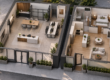
- Doll house - top view, the building rotates like a toy.
- Automatic floor plan with ±1% accuracy.
- Measuring tool - you can measure the opening for the refrigerator right on the tour.
- Integration with real estate CRM and platforms like CIAN.
Cons:
- The shoot was longer - the restaurant on Patriarch's, 600 m², we shot for two full days, about 380 scans.
- The image is softer than the panoramic one - Matterport compresses images for streaming.
- The cost is higher, especially for complex geometry with mezzanines and stairs.
- The object needs to be hidden from people - movement in the frame breaks the stitching of the model.
Case from practice. Plant in Chelyabinsk - three workshops, 4200 m². A panoramic tour would have provided “postcards”, but we needed measurements of the spans and an accurate plan for the designers. We made Matterport, sent the plan to DWG, and divided the shooting into four 8-hour shifts.
Comparison table
| Criteria | Panoramic tour | 3D tour (Matterport) |
|---|---|---|
| Shooting speed | High, up to 200 m²/hour | Medium, 60–100 m²/hour |
| Picture quality | Higher, clearer details | Softer due to compression |
| Floor plan | Drawn by hand | Automatically, with measurements |
| Free movement | Hotspots only | Smooth movement |
| Measurements inside the tour | No | Yes, accuracy ±1% |
| Average budget | from 25,000 ₽ | from 45,000 ₽ |
We store and distribute both formats in three ways: 360° Space cloud with technical support, deployment on the customer’s server (the bank in Ufa took the tour into the security loop in this way) and offline assembly for a PC or VR headset without the Internet - the latter is requested for exhibitions and private corporate shows.
Our verdict
For a restaurant, hotel, showroom, beauty salon, store - take a panoramic tour. What is important to the guest is the atmosphere, not the centimeters between the columns. The shooting is completed within a day, the picture “sells” the interior, the estimate is feasible even for a single establishment.
For real estate (rent, sale, commercial space), manufacturing, warehouses, museums and educational institutions - only Matterport 3D tour. A realtor's client wants to measure a niche for a closet, an investor wants to see the layout from above, a museum curator wants to build a route through the halls with reference to coordinates.
There are hybrids. At an 800 m² facility in Sochi, we made Matterport for the main hall and 12K panoramic inserts for jewelry displays - there we needed highlights and edges of stones in maximum quality.
Frequently asked questions
Is it possible to embed both tours on one website?
Yes. We often use Matterport as the main “walk through the object” block and high-quality panoramas as “view details” - both are inserted as an iframe onto one page.
Which format is better for a VR headset?
Panoramas are readable in any VR player out of the box. Matterport requires its own shell or export of the model to Unity - for VR displays we assemble a separate offline assembly for a specific headset.
How is the finished tour stored?
Three options: 360° Space cloud with our technical support, installation on the customer’s server (relevant for banks and government agencies) or a standalone offline version for PC and VR. We discuss the placement format depending on the task.
Order a 3D tour for your property
Leave your contact — we'll respond within 30 minutes and calculate the cost