Сравнение 3D-сканеров и платформ виртуальных туров — аналоги Matterport в России 2026

Analogues of Matterport in Russia: comparing 5 platforms in 2026

Matterport analogues in Russia: comparing 5 platforms in 2026 Briefly: Matterport analogues in Russia are a way to film and show 3D tours without depending on foreign subscriptions and foreign currency payments. We will analyze five working platforms, show the pros, cons and give a direct recommendation - without “depending on the situation”. Text for those who are already stuck on Matterport: the card does not pass sanctions, export for a VR headset is not available, but I want to give the client a tour on a flash drive for an exhibition. We at 360° Space have walked this path together with dozens of customers - from a developer in Kazan who rented a residential complex for 12 apartments, to a museum in Yekaterinburg who asked for an offline assembly for Oculus Quest 3 for a stand at the forum. The essence of the choice is simple: either the usual Matterport Pro3 camera with someone else’s cloud, or Russian and open solutions, where you decide for yourself where the tour lives - with us, with you, or without the Internet at all. Option A: Matterport through intermediaries Formally, the camera is still transported through parallel import, and the subscription is paid for through foreign legal entities. It works, but it's nervous. Pros: Familiar interface - customers have seen such tours on Western real estate websites. Auto stitching and Dollhouse view out of the box. Large library of tags, measurements, integrations with CRM. Cons: Payment for the subscription is through a payment plan, there is a risk of blocking your account and losing all tours. There is no regular offline version: the tour lives only in the Matterport cloud. Exporting to a standalone VR headset is a separate pain, often through third-party converters. Support is only in English, with a delay of a day. Option B: Russian and open platforms This includes solutions based on Insta360 / Ricoh Theta with assembly in Pano2VR, 3DVista, Kuula, Marzipano and our own 360° Space platform. They are different in depth, but have one thing in common: you are not tied to someone else’s subscription. Pros: Three hosting formats: 360° Space cloud with technical support in Russian, deployment of the tour on the customer’s server, offline version for PC or separate assembly for a VR headset without the Internet. Payment in rubles, agreement with a Russian legal entity, closing documents. Flexibility: custom fonts, branding, integration with 1C, amoCRM, Bitrix24. Shooting with the same panoramic cameras as Matterport competitors - the quality does not sags. Cons: One-button auto-stitching is not available everywhere - some platforms require manual operator work. The dollhouse-type (doll house) is not implemented by everyone, and is not so polished. The library of ready-made integrations is smaller than that of Matterport. From experience, the disadvantages are resolved at the shooting stage. For example, we shoot on Insta360 Pro 2 + Leica BLK360 lidar, and we get the “doll house” through our own rendering. Comparative table of five platforms Criterion Matterport 360° Space 3DVista Kuula Marzipano Payment in rubles Through an intermediary Yes Through an intermediary Through an intermediary Free (open-source) Cloud with support in Russian No Yes No Partially No Hosting on the customer’s server No Yes Yes No Yes Offline version for PC / VR Limited Yes Yes No PC only Auto stitching and Dollhouse Yes Yes (manual control) Partially No No Entry threshold for the customer Medium Low High Low High (a developer is needed) We compare prices qualitatively: Matterport through an intermediary is usually more expensive in the long run due to the monthly subscription in foreign currency; Kuula and Marzipano are cheaper, but do not cover offline tasks; 360° Space and 3DVista are comparable on medium-sized projects, but on large projects, 360° Space wins due to the included support. Our verdict If you have real estate, a restaurant, a showroom, a museum or a production site of 200 m² or more, take the “Russian platform + operator with its equipment” combination. Matterport in 2026 in Russia is an extra layer of risk for the sake of a familiar logo. Specifically: for marketing and sales - the 360° Space cloud, so that the client opens a tour from his phone in a second. For corporate customers with a security service - deployment on the customer's server. For exhibitions, presentations and staff training - offline assembly on a laptop or a standalone version for Meta Quest 3 or Pico 4. Case study: a chain of car dealerships from three cities came to us with tours filmed on Matterport Pro2. We transferred them to 360° Space, connected dealer branding and put together an offline version for managers’ tablets. Sellers show the tour to the client directly in the salon, without Wi-Fi. Look at the latest projects - they have different niches and footage: View all projects → Frequently asked questions Is it possible to transfer an already filmed Matterport tour to 360° Space? Yes, if you still have the original panoramas or access to your account. We unload the spheres, rebuild the navigation, add branding and deliver the tour in the required format - cloud, your server or offline. How is the price compared to Matterport? We don’t publish the exact figures of our competitors, but based on experience, 360° Space works out cheaper over a long distance - there is no monthly subscription in foreign currency, the payment is one-time for the project. You can calculate a specific estimate using the calculator. Does the tour work on a VR headset without the Internet? Yes, we are separately building a standalone version for Meta Quest 3, Pico 4 or Oculus Rift. The tour is delivered via SideQuest or direct APK and works without Wi-Fi - convenient for exhibitions and presentations in the field. Calculate costProject catalogMatterport
matterport россия — 360space.ru

Matterport in Russia: how to order, terms, what’s included in the price

Matterport in Russia: how to order, terms, what is included in the price Briefly: Matterport in Russia is ordered on a turnkey basis - from the operator’s visit to the ready-made link to the tour. We shoot an average object of 300–500 m² in 1 day, installation and publication – another 3–5 working days. You can store the finished tour in three ways: in the 360° Space cloud, on the customer’s server, or offline assembly under VR. Matterport in Russia today is not exotic, but a working tool for realtors, museums, hotels and industries. The technology comes from the USA, but we learned to shoot with Matterport Pro3 and BLK360 cameras a long time ago: the 360° Space team photographed more than a thousand objects from Kaliningrad to Vladivostok. Below we will look at what the order looks like in practice, how many days in advance you will receive the finished tour and what the price consists of. No marketing fluff - just what clients actually ask on the first call. Spoiler: the most expensive part of the project is not the shooting, but the logistics and post-processing of complex objects like shopping centers. Why does a business need a 3D tour on Matterport Clients rarely come with an abstract “I want a tour” - usually the task has a specific number that needs to be moved. This is what Matterport gives in real projects: Saving time on showings. A real estate agency from Kazan, after publishing tours at 40 properties, reduced the number of “empty” trips by 60% - buyers are eliminated at the virtual viewing stage. Increased conversion on the site. A hotel in Sochi added a Matterport tour to its rooms page - viewing depth increased by 2.3 times, direct bookings increased by 18%. Accurate measurements without visiting. The built-in Measurement Mode tool gives an error of up to 1%. When filming a 600 m² restaurant in Nizhny Novgorod, the ventilation contractor made a tour design without visiting the site. Documenting the condition. One tour once a quarter - and you have an archive of repairs, defects, and layouts. A customer from a construction company sends operators to 4 sites a month just for this purpose. Distance learning and briefings. A production workshop in Yekaterinburg was filmed in VR - new employees study evacuation routes in a headset before their first shift. How it works: from application to finished link The process is divided into three stages. The first is coordination. We specify the area, number of floors, operating mode of the facility and the target platform (web, VR headset, integration into CRM). Usually a 15-minute call and a floor plan in any format is enough - even a handwritten photo. The second stage is filming. The cameraman arrives with a Matterport Pro3 camera, a tripod and a backup battery. For every 15–20 m², one panoramic point is made: the camera itself rotates 360°, takes pictures and measures distances with a lidar. Speed ​​- approximately 100–150 m² per hour in a “clean” object without furniture, 60–80 m² in a residential apartment with people and cats (tested). The third is post-production. The points are stitched together in the Matterport cloud, the operator cleans the artifacts, places tags (descriptions, links, videos, product pictures), generates a dollhouse view and floor plans. Next is publication. Here the customer chooses where the tour will live: Cloud 360° Space - our high-speed servers with technical support. The link can be embedded on the site in 2 minutes via iframe. Customer's server - if internal security rules do not allow the tour to enter the external cloud. We deploy it on the client’s infrastructure and provide instructions for updating. Offline assembly - a standalone version for PC or a separate assembly for a VR headset. Works without the Internet - convenient for exhibitions, museums in the outback, sensitive objects. We recently assembled one for a stand at an industrial exhibition - the tour was launched from a flash drive. Time frame for an object of 300–500 m²: shooting – 1 day, installation and publication – 3–5 working days. We shoot large objects from 2000 m² in 2-3 shifts, post-production - up to 2 weeks. See all projects → How much does Matterport cost in Russia? The price is made up of four components: the area of ​​the object, the complexity of the shooting (furniture, lighting, time restrictions), the distance from the operator’s base and the depth of post-production. A small apartment or office up to 100 m² within Moscow will cost from 15,000 ₽ turnkey - with publishing in the cloud and a basic set of tags. The average facility - a retail space, a restaurant, a showroom of 300–600 m² - falls in the range from 35,000 to 80,000 rubles. Custom tags, website integration, and a floor plan in PDF are already added here. We consider large projects (hotels, factories, museums from 1500 m²) individually - the team’s travel to the region, work at night or on weekends, and VR assembly are greatly influenced. The guideline is from 120,000 ₽, but the real fork is wide. What is always included in the price: shooting, processing, publication of the tour, embedding link, floor plan, dollhouse view, integration consultation. What is paid separately: travel outside the home city (by mileage), complex tags with video/3D models, offline assembly for a VR headset, urgency (less than 48 hours for installation). It’s more convenient to estimate the exact figure for your object in a calculator - there are 4 steps and the result is within a minute. Frequently asked questions Is it possible to rent Matterport in another city if you don’t have an operator there? Yes, we work all over Russia. We have operators in 12 cities, we travel to the rest - the cost of travel is included in the estimate as a separate line. For objects over 500 m², the move often pays off due to the scale. Will the tour still work if I stop paying for the Matterport cloud? This is why we offer three accommodation formats. If you want independence from a subscription, we deploy the tour on your server or provide an offline build. This is a one-time job, then the tour lives without monthly payments. How long will the operator spend on site? Apartment 60–80 m² - about 1 hour. Restaurant or office of 300 m² - 2–3 hours. Large object from 1000 m² - full time, sometimes two. We try to film outside of business hours so as not to disturb your clients and employees. Calculate costProject catalogMatterport
How Matterport works: shooting, processing, results in 24 hours

How Matterport works: shooting, processing, result in 24 hours Briefly: Matterport 3d tour is assembled according to the chain “shooting with a Pro3 or Pro2 camera → automatic stitching in the cloud → publishing a link.” On a 200 m² site, we shoot within 2–3 hours; the client receives the final tour within 24 hours. Then there are three placement options: 360° Space cloud, client server or offline assembly. This guide will be useful to owners of restaurants, hotels, showrooms, realtors and marketers - anyone who wants to understand how a working matterport 3D tour appears from an empty room in 24 hours with a link that can be posted on social networks or embedded on a website. I’ll tell you without marketing: what actually happens on the site, where the processing time goes and where the client most often loses quality due to minor mistakes. Over the past year, we have photographed more than 90 properties on Matterport - from studio apartments to a 4,500 m² warehouse. The scheme is almost always the same, the nuances differ. Step 1. Preparation of the object and technical specifications Before the film crew leaves, we agree on the list of zones, light and purpose of the tour. If this is a restaurant, we discuss whether display cases with dishes are needed (a client from Kazan asked to shoot after setting the tables, so we had to shift the shift to 11 am). For real estate - we remove personal belongings, turn on all the lights, turn off mirror TVs. At the same stage, we record where the finished tour will go: only to the website, to VR glasses for the exhibition, or to the client’s server with closed access. The final export—and therefore the processing time—depends on this. Step 2. Shooting with a Matterport Pro3 camera Place the camera on a tripod, fix the first point, and then use the app to take a 360° scan in 20 seconds. We place points every 1.5–2.5 meters. A room of 200 m² means about 40–60 scans and 2 hours of work for one operator. On large objects (warehouse, car showroom, museum) we work in pairs - one operator controls the camera, the second makes sure that people do not get into the frame. The application immediately shows a preview of the passability - if the operator missed a pass somewhere, this can be seen in real time. A separate point is lighting. Matterport does not handle contrasting scenes well: bright window + dark corner = light and noise. When filming the showroom on Leninsky, we covered the windows with a diffuser film - otherwise the prices on the price tags would have disappeared on the scan. Step 3. Upload to the cloud and automatic merging After the last scan, click “Upload” - the data goes to the Matterport cloud. Then the algorithm itself collects the points into a single 3D model: it builds a mesh of the room, stitches together panoramas, and calculates geometry. The gluing time depends on the number of points. Apartment 60 m² - 40 minutes. Restaurant 600 m² - about 4 hours. The 4,500 m² warehouse was assembled overnight. No human participation is required at this stage - but that is why it is important to shoot cleanly, because it is impossible to “tweak” the algorithm after the fact. Step 4. Post-processing and branding Once the model is ready, the manual part begins. We cut off areas where the client does not want to allow the viewer (utility rooms, service doors). We place Mattertags - interactive tags with a description, photo or link to the product card. For an online furniture store, we installed 47 tags - each one leads to a product page with a price in rubles. Next comes branding: client logo, custom start screen, music (on request). If the tour goes for offline screening for the Meta Quest VR headset, we will prepare a separate assembly without Internet dependencies. This is plus 3–5 hours of work. Step 5. Publication: three placement options We give the finished matterport 3d tour to the client in one of three formats, and this is a fundamental point: Cloud 360° Space - the tour lies on our servers with technical support. The client receives a short link and an iframe for embedding on the site. Suitable for most - no need to administer anything. Customer's server - the tour is deployed on the client's infrastructure. Relevant for banks, government agencies and corporate customers, where data should not go outside. Offline - standalone version for PC or a separate assembly for a VR headset. Works without the Internet. We are often asked for this format for exhibitions and roadshows - recently we were preparing an assembly for a stand at Innoprom. Step 6. Acceptance and transfer to the client We send the client a link and call for 15 minutes - we show how to edit tags, change descriptions, add new photos. Then the owner manages the tour himself through his personal account. If everything was ready for shooting and the object does not exceed 500 m², we take 24 hours from the departure of the crew to the finished link. For large objects or complex branding – 2–3 days. Examples of ready-made matterport tours Below are the latest projects that we have filmed. Open from any device; Meta Quest or Pico are suitable for VR. See all projects → Typical mistakes when shooting Matterport Collected what often causes you to reshoot or get an ugly result: Shooting points that are too rare. If you place the camera every 4-5 meters, the algorithm does not have time to “sew” the geometry - the tour turns out with dips and strange transitions. The optimum is 1.5–2.5 m between points. People and movement in the frame. Matterport doesn't understand movement. A passerby or waiter in the frame turns into a “ghost” with distorted geometry. Make arrangements to shoot before the facility opens. Mirrors and glass doors. The camera perceives the mirror as a passage, and the algorithm begins to build “phantom” rooms. It is better to cover large mirrors with a cloth while shooting. Change of light in the middle of shooting. If you first filmed during the day, then it got dark, the dots will not stick together in color. We keep one lighting mode for the entire session. Frequently asked questions How much does a matterport 3d tour cost? The price depends on the area, number of points and amount of branding. Landmark - from 15,000 ₽ for a small object. It is more convenient to make an exact calculation using the calculator on the website. Is it possible to embed a tour on your website? Yes, we provide an iframe code that can be inserted into any website - Tilda, WordPress, Bitrix, or a custom engine. The tour adapts to the width of the block. What if the property does not have internet? We are preparing an offline version - a standalone build for PC or a separate build for a VR headset. Works without a network, suitable for exhibitions and presentations in the field. Calculate costProject catalogMatterport
matterport pro 3 — 360space.ru

Matterport Pro 3: camera review, features and who it's suitable for

Matterport Pro 3: camera review, characteristics and who it’s suitable for Briefly: Matterport Pro 3 is a professional camera with a LiDAR scanner with a range of up to 100 meters, films both indoors and outdoors. During the shift, the 360° Space team scanned a shopping center with an area of ​​3200 m² in Nizhny Novgorod, the tour was assembled in three days. Matterport Pro 3 is the flagship camera of the American company Matterport, built around a LiDAR sensor and a 134 MP per frame matrix. Unlike the previous Pro 2, the third model works confidently outdoors: the sun no longer bothers it. We took it to the park first - we rented a loft with panoramic windows, where the Pro 2 had previously produced “holes” in the geometry. There were no holes here. The camera is designed for renters who sell tours as a product: premium real estate agencies, developers, museums, industrial facilities. For a home blog it is redundant, but for a hotel with 80 rooms or a production workshop it is definitely not. Why does a business need a 3D tour? We have been calculating the effect of client projects for six years and this is what we see in the numbers: Time on the site increases by 4–7 times. The average visitor spends 5-8 minutes on a tour page versus 40-70 seconds on a regular gallery page. For a developer client from Kazan, the conversion to an application increased from 1.2% to 3.8% after embedding the tour on the residential complex card. Minus 30–50% of “empty” views of the object. Realtors from St. Petersburg said: before the tour, 15 people came to the apartment in business class, bought 1. After that, 6 came, bought 2. People are eliminated at the online viewing stage. Acceleration of approvals by 40–60%. Architects and contractors see the object 1:1 without visiting. One customer, a chain of coffee shops, agreed on a new hall format for a tour with all regions in one Zoom. Increase in search traffic. Google and Yandex love pages with interactive content: viewing time is a signal of quality. At the museum in Yaroslavl, organic traffic increased by 34% in six months. Sales through VR display. A separate tour assembly for a Meta Quest or Pico headset closes deals at international exhibitions without the client physically traveling. How it works Shooting with Matterport Pro 3 takes place step by step: the operator places the camera on a tripod, starts scanning from the tablet, the camera rotates for 20–25 seconds, LiDAR reads the geometry, the lens takes a panorama. Next - move 2–2.5 meters, the next node. Speed ​​in practice: an apartment of 80 m² - an hour and a half, a restaurant of 600 m² - half a working day, a warehouse of 5000 m² - two shifts with one operator and an assistant. On the street, the camera shoots best in diffused light - the direct sun at 12 o'clock gives overexposure, we plan to shoot in the morning or evening. After field work, the point cloud and panoramas are sent to Matterport servers, where they are merged into a single 3D model. Usually we give the finished tour to the client in 24–72 hours - it depends on the volume and branding changes (logo, tags, audio guide, integration with CRM). The tour can be arranged in three ways. The first is the 360° Space cloud: our high-speed servers with technical support, the link is given to the customer, and an iframe is embedded on the site. The second is the client’s server: we deploy the assembly on the customer’s infrastructure, relevant for banks and government agencies with security requirements. The third is an offline version: a standalone build for a PC or a separate build for a VR headset, works without the Internet (we were recently asked to make one for a stand at Innoprom). See all projects → How much does it cost? The price of a tour on Matterport Pro 3 consists of three components: travel and filming, processing and assembly, accommodation with support. We have starting projects (apartment, small office) - from 15,000 ₽. The average commercial tour for 300–800 m² is from 35,000 to 90,000 rubles. Large objects - production facilities, shopping centers, museums - are counted individually: components, additional processing, VR assembly and tags are counted there. Compared to cameras like Insta360 or Ricoh Theta, Matterport is more expensive on small projects, but on projects over 500 m², the advantage in geometry and dimensional accuracy makes up for the difference. LiDAR gives an error of about 1% versus 5–7% for photo stitching. It is more convenient to look at the exact figure for your object on a calculator - it takes into account the area, urgency, number of floors and placement format. Frequently asked questions: Does Matterport Pro 3 shoot outdoors? Yes, third-generation LiDAR works at distances of up to 100 meters and is not afraid of sunlight. We photographed courtyards, parks, and industrial sites. There is only one limitation - rain and snow: drops fall into the sensor and damage the points. How is Pro 3 better than Pro 2? The LiDAR range has increased from 4.5 to 100 meters, the scanning speed of one node has increased by 3–4 times, and street photography has appeared. The panorama resolution is 134 megapixels versus 134 megapixels for Pro 2, but the geometry accuracy and color rendition are noticeably higher. Can a tour be embedded on any website? Yes, we provide the iframe code - it works on Tilda, WordPress, Bitrix, and any custom engine. If you need an offline display at an exhibition or in a showroom without the Internet, we assemble an offline version for a PC or VR headset separately. Calculate costProject catalogMatterport
matterport это — 360space.ru

What is Matterport: a complete analysis of technology for business

What is Matterport: a complete analysis of technology for business In short: Matterport is the leading technology for creating detailed 3D tours of premises, which allows you to digitize space with high accuracy. It is widely used in real estate, hospitality, retail and many other commercial applications, offering an interactive and visual way to display properties. Curious about what Matterport is and how this technology can benefit your business? We, the 360° Space team, work with 3D tours every day and can tell you about Matterport from the inside, based on real project experience. It's not just a buzzword, but a powerful tool for visualizing spaces that has gained popularity due to its detail and convenience. Matterport is essentially a hardware and software package for creating immersive virtual tours. It captures real-life spaces and transforms them into interactive 3D models that users can freely navigate, examine details and gain information. Often clients come to us already knowing about Matterport because they have seen such tours from competitors or in the real estate industry. Why Businesses Need a Matterport 3D Tour Matterport-powered 3D tours offer businesses a range of tangible benefits that directly impact sales, marketing and operations. We see this in practice when our clients from different areas note specific changes after the introduction of tours. Increased potential customer engagement: Website visitors spend an average of 40% more time in 3D tours compared to viewing regular photos and videos. For example, for a hotel, this means that the guest “walks” longer through the rooms, restaurant and lobby, better imagining their future vacation. Reduce the number of empty showings or visits: In the real estate industry, 3D tours help weed out non-target clients. If a person has already “walked” around the apartment online, he will come to view only if the object is really interesting to him. This saves agents and owners time by reducing the number of ineffective showings by up to 30%. Expanding sales geography and audience coverage: For companies working with remote clients, a 3D tour is becoming an indispensable tool. A client from Vladivostok can examine the property in Kazan in detail without going to the site. This is especially true for purchasing real estate or choosing a venue for events. An effective tool for staff training and planning: Not just for clients! We have done tours for manufacturing plants where they were used to instruct new employees on safety or to plan equipment placement. The ability to “walk” through the workshop remotely greatly simplifies these processes. Increased trust and transparency: The openness and detail of the 3D tour creates a feeling of honesty and reliability for the client. You show everything as it is, without embellishment, which creates a positive brand image. How it works: the shooting process, timing, result The process of creating a Matterport 3D tour is quite streamlined and consists of several key stages. It all starts with preparing the object. Preparing the subject for shooting This is perhaps one of the most important stages, which is often forgotten. Before our team arrives, the facility must be prepared as much as possible: personal belongings have been removed, furniture has been arranged, televisions have been turned off, and doors between rooms have been opened. Imagine that you are preparing for a photo shoot for a glossy magazine - the same principles apply here. Any little thing caught in the frame will be visible in the 3D tour. For example, when renting a 600 m² restaurant, we always ask that all shopping carts and boxes be removed in advance. Filming process A specialized Matterport camera equipped with a lidar and several optical sensors is used for filming. The operator moves sequentially throughout the room, placing the camera at key points. The camera takes a full 360-degree photo and simultaneously scans the area, creating an accurate depth map. The distance between shooting points is usually 1.5–3 meters, but can vary depending on the characteristics of the room and the desired detail. This is painstaking work that requires care and experience. The average shooting speed is approximately 50–100 m² per hour, but much depends on the complexity of the room configuration, the number of doors, furniture and lighting. For example, a large warehouse with open space is rented faster than a multi-room apartment with narrow corridors. Processing and assembly of the tour After shooting, the data is uploaded to the Matterport cloud platform, where all scans are automatically stitched into a single 3D model. This process takes from several hours to days. Then our specialists get to work: adjust transition points, add information tags (Mattertags) with text, photos or videos, create a “Dollhouse View” and floor plans. We can also brand the tour by adding your company logo and customizing the color scheme. Result and placement formats As a result, you get an interactive 3D tour that can be embedded on your website, sent as a link in a messenger, or used for presentations. We offer flexible accommodation formats: Cloud 360° Space: Your tours will be hosted on our high-speed servers with 24-hour technical support. It is convenient, reliable and does not require any technical knowledge from you. Customer server: If you have your own IT infrastructure and strict data requirements, we can deploy the tour directly on your server. Offline version: Sometimes you need access to a tour without the Internet. We can prepare a standalone version for PC or a separate assembly for a VR headset. For example, we were asked to create an offline version for an exhibition to show real estate on a big screen without relying on Wi-Fi. See all projects → How much does a Matterport 3D tour cost? The price of a Matterport 3D tour consists of several factors, and it is always individual. There is no single tariff that would be suitable for all projects, be it a small cafe or a huge production complex. The main factors influencing the cost: Area of ​​the object: The larger the area, the more shooting points are required, and the longer the operator’s work and subsequent processing takes. Configuration complexity: Multi-level objects, rooms with a large number of partitions or complex designs require more time and effort. Number of information tags (Mattertags): Each tag with additional information, photo or video is additional work to integrate the content. Need for additional services: Creation of floor plans, VR versions, or integration of specific elements. Travel costs: If the site is located outside the city where our team is based, travel costs will be added to the cost. On average, the cost of a Matterport 3D tour starts from RUB 15,000 for small objects. For larger or more complex projects the price will of course be higher. It is important to understand that this is an investment that pays off through increased marketing and sales efficiency. To get an accurate estimate, we recommend using our online calculator or contacting us directly. We are always ready to discuss the details of your project and offer the optimal solution, taking into account your budget and objectives. Frequently asked questions How is Matterport different from regular 360° panoramas? Matterport creates not just a set of panoramas, but a full-fledged 3D model of the space, through which you can move freely, see a “dollhouse” and floor plans. Conventional panoramas are static images connected by transitions, without true 3D dimension. What time...

виртуальный тур по квартире — 360space.ru

Virtual tour of the apartment: a complete guide for the owner and realtor

Virtual tour of the apartment: a complete guide for the owner and realtor Briefly: A virtual tour of the apartment is a powerful tool for selling or renting real estate, allowing potential buyers to “visit” inside the property remotely. This guide will help owners and realtors understand all the stages of creating such a tour, from preparation to publication, and avoid common mistakes. A virtual tour of an apartment is becoming not just a fashionable trend, but a necessity in the modern real estate market. It allows you to show the property in the best light, eliminate inappropriate views and significantly speed up the transaction process. At 360° Space, we deal with requests from owners and realtors every day, so we have put together a step-by-step guide for you based on our real experience. Step 1: Preparing the subject for shooting This is the most important stage, on which the quality of the final tour depends 80%. Imagine that you are preparing for a photo shoot for a glossy magazine. Everything must be perfect. First of all, do some general cleaning. No dust, dirty windows, or stains on plumbing. The second point is depersonalization. Remove personal items: photographs, toothbrushes, refrigerator magnets, children's toys, clothes, phone chargers. The goal is to create the feeling that this house can be their home and not someone else's. Once, when renting a four-room apartment in the center of Moscow, the owner forgot to remove the cat litter box. I had to pause and wait for it to be removed so as not to ruin the shot. Step 2: Selecting equipment and performer To create a high-quality virtual tour of the apartment, specialized equipment is required: a professional 360 camera or a DSLR camera with a wide-angle lens and a panoramic head. Shooting on your own with a phone or a simple consumer 360 camera often produces results that do not meet expectations - low resolution, distortion, poor color rendition. We advise you to contact professionals. At 360° Space we use only top equipment, and our operators have many years of experience. For example, to photograph objects with a lot of detail, such as an elite apartment with a designer renovation, we use Matterport technology, which allows us to obtain not only panoramas, but also a 3D model of the layout. Step 3: Filming Process The cameraman will film each room from several angles to cover all angles and create a full sense of presence. It is important to provide good lighting. If it is daytime, open the curtains. If it is night or cloudy, we turn on all the lighting in the rooms, even decorative lighting. Professionals typically use additional lighting to balance light and shadow. During filming, ask everyone present to leave the room or stay out of the camera's field of view. We once rented an apartment in Sochi, and the hostess decided to sit in a chair in one of the rooms, thinking that she would not be visible. I had to retake this shot. Step 4: Assembling and processing the tour After filming, the magic of post-production begins. Photos are stitched into seamless panoramas, color balance and exposure are adjusted, and minor defects are eliminated. These panoramas are then combined into a single virtual tour. This is not just “gluing together” pictures, but creating interactive navigation, adding information points (HotSpots) with descriptions, videos, and photo galleries. At this stage, you can add a floor plan, voiceover, and links to additional materials. For example, for commercial real estate, we often add links to presentations or brochures, which is very convenient for investors. Step 5: Placement and demonstration of the tour The finished virtual tour needs to be placed somewhere. At 360° Space we offer several options. You can use our 360° Space cloud, which guarantees high-speed downloads and technical support. This is an ideal option for most clients. If you have your own IT infrastructure, we can deploy the tour on your server. And for special cases, for example, for demonstration at exhibitions or in places with poor Internet, we make a standalone version for PC or a separate assembly for a VR headset that works without a network connection. This provides maximum flexibility in content delivery. Step 6: Integration and Promotion Once your virtual tour is posted, it needs to be integrated into your marketing channels. Place a link to the tour on the ad website (Avito, Cyan, Yandex.Real Estate), on your personal website, on social networks. You can create a QR code to print on flyers or banners. Tell us about the tour in the description of the object, highlight its advantages. “Take a look at our apartment without leaving your home!” – this wording attracts attention. The more channels you use, the more potential buyers or renters will see your property. See all projects → Typical mistakes when creating a virtual tour Poor preparation of the object: Dirt, disorder, personal belongings. This instantly repels and reduces the value of the property in the eyes of a potential client. Low quality of shooting: Blurred panoramas, poor color rendition, obvious stitching. Such a tour will not only not help, but will also harm the image of the object. Lack of interactivity: Just a set of panoramas without convenient navigation or information points. The user gets lost and does not get the full picture. Access problems: The tour takes a long time to load, works with errors, or is not accessible at all. This is critical because the user does not have time to wait. This is why we pay such attention to the quality of hosting and support. Frequently asked questions Q: How long does it take to create a virtual tour? A: The timing depends on the area of ​​the facility and the complexity of the project. Typically, renting a one-room apartment takes 1-2 hours, and processing and assembling a tour takes from 3 to 7 working days. We always try to meet the agreed deadlines, but quality is our priority. Q: Can I add video or music to a virtual tour? A: Yes, of course! We can integrate videos, background music, voice comments, as well as photo galleries and links to external resources. This makes the tour even more informative and attractive. Q: What is the difference between a tour and 360 photos on classified sites? A: A 360 photograph is a static shot of a single point. A virtual tour is a whole system where panoramas are interconnected, there is interactive navigation, information points, the ability to move from room to room, and look at the floor plan. This is a full immersion, not just a picture. Calculate costProject catalogMatterport
3д карта отель сайт — 360space.ru

3D hotel map for a website: how to embed a tour and increase conversion

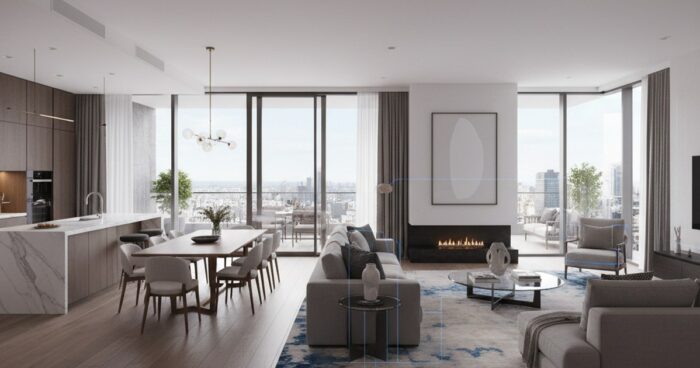
3D hotel map for a website: how to embed a tour and increase conversion Briefly: a 3D map of a hotel website is an interactive tour built into the booking page, where the guest himself walks through the rooms and lobby. According to our measurements, after installing a tour for a boutique hotel in Suzdal, the viewing depth increased from 2.3 to 4.1 pages, and the share of direct bookings increased by 18% in two months. This guide is for hotel owners and marketers who are tired of explaining over the phone “what is the view from the window” and “will a baby cot fit?” Let's go through it step by step: how to film a tour, where to embed it, what points of interest to add, and what won't break the mobile version. At the end are the typical mistakes that even large networks stumble upon. Step 1. Determine what to shoot and in what order Before calling the operator, make a list of objects: entrance group, reception, lobby, each type of room (not every room - namely type: standard, junior suite, luxury), restaurant, SPA, conference room, view from the terrace. For a hotel with 40 rooms, usually 15-20 scenes are enough - that's enough. A client from Kazan wanted to rent all 62 rooms in a row “to be fair.” We dissuaded him: the guest will not click on 62 identical doors. We rented 4 types + two rooms with a unique view of the Kremlin - the conversion rate for these two increased separately, they are the first to be booked. Step 2. Select shooting technology For the hotel, we use Matterport Pro3 or Insta360 in conjunction with our platform. Pro3 gives the exact dimensions of the rooms (the guest sees the real 18 m² and understands that a suitcase will fit) and a dollhouse view - a rotating model of the building. This works like a hook: a visitor to the site twists the layout and is drawn in. If your budget is limited, take panoramic photography with a professional camera - it will be cheaper, but without measurements and dollhouse. For a country eco-hotel with wooden cottages, we did exactly this: the atmosphere was more important, not the millimeters. Step 3. Embed the tour in the right place on the website The most common mistake is to put the tour in the “About Us” section. No one will find him there. The correct placement points are: the main one (large “Walk around the hotel” block above the fold), the card of each room (the “View room in 3D” button next to the price) and the “Booking” page before the payment form. Technically, it is embedded via an iframe in one line. The container size is at least 16:9; on desktop we recommend 800x450 px or more. For mobile phones, adaptive mode is required, otherwise the tour will be cut off. 360° Space has three hosting options: our cloud with technical support, your server (if IT department policy requires keeping everything internal) or offline assembly - we did the latter for a hotel that took a laptop to tourism exhibitions without a guarantee of Wi-Fi. Step 4. Add points of interest and prices directly to the tour. The naked tour is beautiful, but does not sell. Inside the scene you need interactive markers: clicking on the bed opens a pop-up “King-size 180×200, orthopedic mattress”, clicking on the window - “view of the embankment”, clicking on the minibar - composition and prices. On the “Book this room” button there is a direct link to the booking module with the category already entered. This is critical for conversion. When renting a hotel in Sochi with 90 rooms, we added 6–8 tags for each type of room. The owner later wrote: the number of calls “what is this view” dropped to almost zero, managers unloaded and began to squeeze real reservations. Step 5. Connect analytics and see where the guest exits. The tour should send events to Yandex.Metrica: opening the tour, transition between scenes, click on the tag, click on “Book”. In two weeks you will see a heat map - which numbers are viewed longer, where the user closes the tab. For one of our clients from Nizhny Novgorod, the lobby was watched for 47 seconds, and the spa area - 3 seconds. It turned out that the spa was rented at the wrong time: dim light, empty sun loungers. They reshot it - the average time on stage increased to 28 seconds, and sales of spa packages through the website doubled. Step 6. Examples of ready-made hotel tours Below are recent projects, you can click and see what a tour looks like at specific hotels: where the markers are placed, how the transition between scenes is designed, what is shown first. View all projects → Typical mistakes when implementing a 3D tour into a hotel website Hiding the tour in the basement of the site. If the “3D tour” link is in the footer next to the details, no one will see it. The tour should be on the main page and in each number card. They rent with uncleaned rooms. A crumpled sheet, a towel on the floor, a forgotten bottle - the guest will close the tab in 4 seconds. Before filming, housekeepers must work through the numbers as if under inspection. They forget about the mobile version. More than 60% of hotel website traffic comes from phones. If the tour is not adapted, the iframe goes off the screen, and the guest thinks that the site is broken. They don't update the tour after the renovation. They re-pasted the wallpaper, changed the furniture - the tour is outdated, the guest arrives and sees a different room. Re-shooting is needed every 2-3 years or after any significant renovation. Frequently asked questions How much does it cost to shoot a 3D tour for a hotel? Depends on the area, number of room types and technology. For a hotel with 20–40 rooms, this usually starts from RUB 60,000 on a turnkey basis with filming, installation, markings and embedding. It is convenient to estimate the exact figure in a calculator. Will the tour work on our server or only on yours? There are three options: 360° Space cloud with technical support, deployment on the customer’s server (if IT policy requires), or offline assembly for a PC and VR headset - relevant for exhibitions and presentations without the Internet. How long does it take to shoot and launch? A shooting day for a hotel with 30 rooms - 1-2 days on site. Post-production, tags and integration into the website - another 5-10 working days. In total, after two or three weeks the tour is already on the website and working. Calculate costProject catalogMatterport
виртуальный тур для жк — 360space.ru

Virtual tour for residential complexes: remote sales of apartments during construction

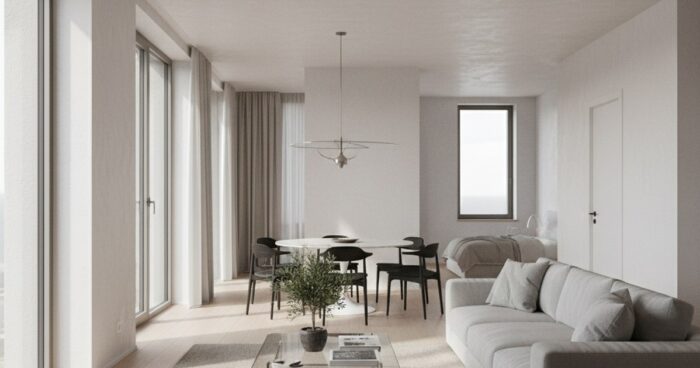
Virtual tour for residential complexes: remote sales of apartments during the construction phase A virtual tour for residential complexes has ceased to be a beautiful option - now it is a working tool for the sales department, especially when the house is still in the pit. At 360° Space we film finished showrooms with a Matterport camera and assemble interactive 3D models of future apartments using a BIM project. A buyer from Tyumen opens a link on WhatsApp and in a couple of minutes understands whether a two-room apartment with windows facing south is suitable for him. Below is how it works, what the deadlines are and why developers are returning for the second and third buildings. Briefly: a 3D tour of a residential complex replaces a physical showroom at the construction stage: the buyer walks around the apartment using a phone or wearing a VR helmet, the manager spends 10 minutes instead of an hour on the show. The average production time is 5–14 days, the cost is from 25,000 rubles per apartment. Why does a developer need a 3D tour: five dry numbers We collected statistics on projects for 2024–2025 together with client sales departments. Here's what really impacts revenue: Reduce empty impressions by 40-60%. A client from Kazan, a developer of a low-rise building, said: before the tour, we visited the site 3-4 times a day, after the tour, there were only hot showings, when the person had already decided on the layout. Sales to other regions without the buyer traveling. At the Moscow business class residential complex, 18% of transactions for the last quarter were made through a 3D tour: people from Vladivostok, Surgut, Astana booked online after a virtual visit. Accelerate the purchase decision by 30%. The average transaction cycle at the pit stage is 21 days, with a tour it drops to 14. People are quicker to believe in what they see with their hands, rather than in a static render. Sales department work 24/7. The tour is built into the layout card on the website and into the VKontakte mini-application - applications fall at night and on weekends, when the office is already closed. Savings on physical showroom. One completed showroom with fine finishing costs the developer 3–5 million rubles per building. The virtual option is several times cheaper and moves along with the apartment to another residential complex in one archive. How we film and put together a tour It all depends on what is already on site. I will analyze two typical scenarios. Scenario 1: ready-made showroom or rented apartment. We arrive with a Matterport Pro3 camera and shoot an apartment of 60–120 m² in one day. After 2-3 days, we deliver the finished tour: measurements with a tape measure directly in the browser, dollhouse mode on top, VR version for Oculus. When filming a residential complex in Yekaterinburg for 8 apartments, we completed the project in two trips of six hours each - at the same time, the electricians were tightening up the sockets, and we were working in other rooms. Scenario 2: not home yet. We take a BIM model or measured plans, a finishing design project and assemble a photorealistic 3D scene. Here the terms are longer - from 10 to 20 working days per apartment, depending on the number of scenes (day/night, two variations of decoration). A regional developer from Perm asked to collect 12 layouts at once for three finishing options: white, light, dark. They completed it in a month, these scenes have been running on their website for a year and a half. We deliver the finished tour in one of three accommodation formats: 360° Space cloud - our high-speed servers, technical support, viewing analytics; developer server - if you have your own IT circuit and security requirements; offline - standalone build for a manager’s PC in a sales office or a separate build for a VR headset for an exhibition. Works without the Internet - relevant for stands at Arch Moscow or regional real estate forums. The client chooses formats to suit his scenario, and is not tied to one option. See all projects → How much does a virtual tour cost for a residential complex? The price tag varies depending on the area, number of apartments and whether there is a real object or we work from BIM. Price guidelines: shooting a finished Matterport apartment - from 25,000 ₽ per object up to 80 m²; business class showroom tour with website integration - from 60,000 ₽; 3D assembly of an apartment according to BIM (one layout, one finish) - from 90,000 ₽; a complex for the entire residential complex with several buildings and a “journey” between layouts - on request, usually from 400,000 ₽. For an accurate estimate, it is more convenient to go through the calculator - a couple of questions about the area and the number of stages, and you will get a guide to the numbers and timing. Or write to us the area and number of layouts - we will advise you during the working day. One more detail from practice. If the residential complex is large and the buildings are rented out in queues, we usually make a framework agreement: first a pilot for 2-3 apartments, measure the conversion in the sales department, then roll it out to the entire pool of layouts. This approach removes the question of “what if it doesn’t work” even before the main budget. Frequently asked questions Is it possible to embed a tour into an apartment card on the developer’s website? Yes, we provide an iframe code or a direct link - it is inserted as a YouTube video. The tour is responsive and opens in a mobile browser without installing applications. What to do if the layout has changed after approval? We count edits in a 3D assembly based on the 3D artist's hours of work. Small ones - moving a partition, replacing furniture - usually fit into the project budget. Major changes are subject to additional estimates. Does a VR helmet tour work at an exhibition without the Internet? Yes, we are building an offline version for Meta Quest or Pico. We download it to the device once, then it works autonomously - convenient for stands and presentations in the regions. Calculate costProject catalogMatterport
панорамный тур отличие 3д — 360space.ru

Panoramic tour and 3D tour: what is the difference and what is right for your business

Panoramic tour difference 3D is a question that clients ask every week when they compare studio offers. The difference at first glance seems purely technical, but in fact it determines the budget, the shooting period and how the visitor behaves within the tour. Let's look at both formats using examples from our projects and tell you what to use for the task. Briefly: Panoramic tour is a set of 360° spherical photographs connected by transition points. The 3D tour is built on a point cloud and provides a doll house, floor plan and measurements with an accuracy of ±1%. For a restaurant website, panoramas are enough; for selling apartments and a warehouse, you need Matterport. Panoramic tour - what it can do and where it stumbles A panoramic tour is assembled from spherical photographs taken on a DSLR with a fish eye or on a “ball” like the Insta360 Pro. The frames are glued together, hotspots are placed, and the person “jumps” between the points, turning his head 360°. Pros: The shooting goes quickly - we can cover a 60 m² apartment in an hour and a half. Picture resolution is up to 12K per panorama, details of textiles and logos are readable right down to the seam. The estimate is below - with the same area, a panoramic tour is usually a third cheaper than a 3D one. Easy to incorporate into branding: splash screen, music, pop-up descriptions of dishes or SKU. Cons: No free movement - only “teleport” from point to point. Floor plans are drawn manually by the designer and are not tied to real geometry. Measurements of furniture and openings are not available - only visual. The sense of volume fades: the guest sees a beautiful picture, but has a poor sense of scale. Fresh example. Furniture showroom in Kazan, 320 m², six style zones. It was important for the customer to show the upholstery textures and signatures of the collections. We shot 34 panoramas in one day and added links to product cards. Time on site increased from 42 seconds to 3 minutes. 3D tour on Matterport - what it can do and where it stumbles. A camera with lidar or structured light works here (Matterport Pro3, Leica BLK, Insta360 X4 with harness). It takes hundreds of points and simultaneously measures distances. The result is a three-dimensional model on which the visitor walks smoothly and does not jump. Pros: Doll house - top view, the building rotates like a toy. Automatic floor plan with ±1% accuracy. Measuring tool - you can measure the opening for the refrigerator right on the tour. Integration with real estate CRM and platforms like CIAN. Cons: Shooting takes longer - the restaurant on Patriarshikh, 600 m², we filmed for two full days, about 380 scans. The image is softer than the panoramic one - Matterport compresses images for streaming. The cost is higher, especially for complex geometry with mezzanines and stairs. The object needs to be hidden from people - movement in the frame breaks the stitching of the model. Case from practice. Plant in Chelyabinsk - three workshops, 4200 m². A panoramic tour would have provided “postcards”, but we needed measurements of the spans and an accurate plan for the designers. We made Matterport, sent the plan to DWG, and divided the shooting into four 8-hour shifts. Comparison table Criterion Panoramic tour 3D tour (Matterport) Shooting speed High, up to 200 m²/hour Average, 60–100 m²/hour Picture quality Higher, clearer details Softer due to compression Floor plan Drawed manually Automatically, with measurements Free movement Hotspots only Smooth movement Measurements inside the tour No Yes, accuracy ±1% Average budget from 25,000 ₽ from 45,000 ₽ We store and distribute both formats in three ways: 360° Space cloud with technical support, deployment on the customer’s server (a bank in Ufa took the tour into the security loop) and offline assembly for a PC or VR headset without the Internet - the latter is requested for exhibitions and closed corporate shows. Our verdict For a restaurant, hotel, showroom, beauty salon, store - take a panoramic tour. What is important to the guest is the atmosphere, not the centimeters between the columns. The shooting is completed within a day, the picture “sells” the interior, the estimate is feasible even for a single establishment. For real estate (rent, sale, commercial space), manufacturing, warehouses, museums and educational institutions - only Matterport 3D tour. A realtor's client wants to measure a niche for a closet, an investor wants to see the layout from above, a museum curator wants to build a route through the halls with reference to coordinates. There are hybrids. At an 800 m² facility in Sochi, we made Matterport for the main hall and 12K panoramic inserts for jewelry displays - there we needed highlights and edges of stones in maximum quality. Frequently asked questions Is it possible to embed both tours on one website? Yes. We often use Matterport as the main “walk through the object” block and high-quality panoramas as “view details” - both are inserted as an iframe onto one page. Which format is better for a VR headset? Panoramas are readable in any VR player out of the box. Matterport requires its own shell or export of the model to Unity - for VR displays we assemble a separate offline assembly for a specific headset. How is the finished tour stored? Three options: 360° Space cloud with our technical support, installation on the customer’s server (relevant for banks and government agencies) or a standalone offline version for PC and VR. We discuss the placement format depending on the task. View all projects → Calculate costProject catalogMatterport