виртуальный тур по бассейну — 360space.ru

Virtual tour of the pool and SPA center: online viewing without a visit

Виртуальный тур по бассейну и SPA-центру: онлайн-просмотр без визита Коротко: Виртуальный тур по бассейну заменяет клиенту первый визит: человек изучает чаши, хамам, раздевалки и зону отдыха прямо с телефона. По нашей статистике, после установки тура на сайт SPA-центра в Казани конверсия из посетителя в заявку выросла с 2,1% до 4,7% за первые два месяца. Виртуальный тур по бассейну — это интерактивная 3D-модель помещения, по которой посетитель сайта перемещается сам, разглядывает воду в чашах, температуру в парных на инфостикерах и планировку раздевалок. Мы в 360° Space снимаем такие объекты уже пятый год: от небольших SPA при бутик-отелях до 3000-метровых аквацентров. Главное отличие от обычной фотогалереи — человек видит объём, расстояния и связки между зонами, а не только красивые ракурсы. За счёт этого разговор с администратором на входящем звонке короче и предметнее. Ниже — зачем это фитнес-клубу или SPA, как проходит съёмка и сколько стоит. Зачем фитнес-клубу и SPA нужен 3D-тур Люди выбирают бассейн иначе, чем спортзал. Им важно понять, чистая ли вода визуально, есть ли отдельные раздевалки для семей, где расположены детские чаши, насколько уютно в комнате отдыха после парной. Одной страницы с текстом и десятком фото недостаточно — особенно если абонемент стоит 40–80 тыс. ₽ в год. Рост заявок на 40–120%. На проекте фитнес-клуба в Екатеринбурге (2400 м², две чаши + хамам) заявки с сайта выросли с 18 до 39 в месяц уже во второй месяц после публикации тура. Меньше «пустых» визитов. Клиент SPA-салона в Подмосковье жаловался, что 3 из 10 записавшихся на экскурсию не подходили по формату (искали баню на дровах). После тура таких визитов стало почти ноль — фильтр происходит на сайте. Продажа онлайн-абонементов. Тур встраивается в карточку тарифа — человек видит именно ту зону, за которую платит. Средний чек по таким корзинам, по данным одного из наших клиентов, выше на 15–20%. Обучение персонала и подрядчиков. Новый администратор изучает планировку за 20 минут вместо трёх смен. Клининг получает схему с отмеченными «болевыми» точками. Круглосуточная витрина 24/7. Клуб в Сочи получил заявку из Владивостока в 4 утра по МСК — человек изучал тур перед командировкой и сразу забронировал разовое посещение. Ещё один аргумент — страховые и надзорные истории. Тур фиксирует состояние объекта на дату съёмки: разметку глубин, аварийные выходы, оборудование водоподготовки. Это не раз выручало клиентов при спорах с арендодателями. Как проходит съёмка бассейна и SPA Технически бассейн — сложный объект. Пар, блики от воды, стекло душевых, зеркала в раздевалках. Мы работаем на Matterport Pro3 и Insta360 Pro в зависимости от размеров и освещения. Обычная схема такая: Подготовка. За день до съёмки клуб проводит генеральную уборку, полирует поручни, убирает личные вещи из раздевалок, включает штатное освещение. Мы приезжаем за час — размечаем маршрут, чтобы не забыть ни одной кабинки хамама и технической зоны, если её надо показать инвесторам. Съёмка. Средний SPA на 400–600 м² снимаем за 4–6 часов. Большой аквацентр с 3–4 чашами и банным комплексом — за полный день. Работаем обычно в санитарный час или ранним утром до открытия, чтобы в кадр не попали посетители (это ещё и требование 152-ФЗ о персональных данных). Постобработка и сборка. 5–10 рабочих дней. За это время убираем блики, «докручиваем» цвет воды, расставляем инфостикеры: глубина чаши, температура парной, состав процедур. Добавляем схему-миникарту и, если нужно, встраиваем форму записи. Доставка. Тур можно разместить тремя способами. Первый — на облаке 360° Space: наши серверы, техподдержка, обновления. Второй — на сервере заказчика, если у сети своя IT-инфраструктура и требования безопасности. Третий — офлайн-версия для ПК на ресепшене или отдельная сборка под VR-гарнитуру: удобно для выставок и презентаций инвесторам. Одному банному комплексу под Тюменью мы делали именно офлайн-версию для роуд-шоу по регионам — интернет на площадках был не везде. Что клиент получает на выходе: ссылку на тур, embed-код для сайта, QR-код для оффлайн-точек (полиграфия, стойка администратора), архив с исходниками. Смотреть все проекты → Сколько стоит тур по бассейну и SPA Итоговая цена зависит от площади, количества зон и того, сколько инфостикеров нужно расставить. Ориентиры такие: Небольшой SPA при отеле, 150–300 м² (одна чаша, хамам, комната отдыха) — от 35 000 ₽. Средний фитнес-клуб с бассейном, 500–1000 м² — от 65 000 ₽. Аквацентр 1500–3000 м² с несколькими чашами и банным комплексом — от 120 000 ₽. Отдельно VR-сборка или офлайн-версия для выставки — от 20 000 ₽ к базовой стоимости. В цену входит выезд бригады по Москве и области, съёмка, монтаж, до 20 инфостикеров, размещение на нашем облаке на первый год. Дальше — либо продлеваем размещение, либо переносим на сервер клиента одним архивом. Точные цифры под ваш объект удобнее считать по площади и списку зон — на калькуляторе занимает пару минут. По сравнению с типовыми решениями на публичных платформах наш формат чаще выходит дешевле на больших объектах (за счёт собственной инфраструктуры хранения) и заметно гибче по интеграции с CRM клуба — например, чтобы клик на чашу открывал форму записи именно на аквааэробику, а не общий контакт. Частые вопросы Можно ли снимать бассейн с водой или нужно спускать чашу? Снимаем с водой — так тур выглядит живым. Спускать чашу не нужно. Мы просто ждём момента, когда поверхность спокойная, и подбираем ракурсы так, чтобы блики не мешали. Что с посетителями и сотрудниками в кадре? По 152-ФЗ снимаем в санитарный час или до открытия. Если попадают силуэты сотрудников — берём письменное согласие или размываем лица на постобработке. Раздевалки снимаем только пустыми. Как встроить тур в сайт клуба на Тильде или WordPress? Выдаём embed-код и прямую ссылку. На Тильде вставляется через блок HTML за минуту, на WordPress — через шорткод или iframe. При необходимости наш разработчик помогает бесплатно в течение первого месяца. Рассчитать стоимостьКаталог проектовMatterport

виртуальный тур кафе — 360space.ru

Virtual tour for a cafe: how to show the atmosphere before booking

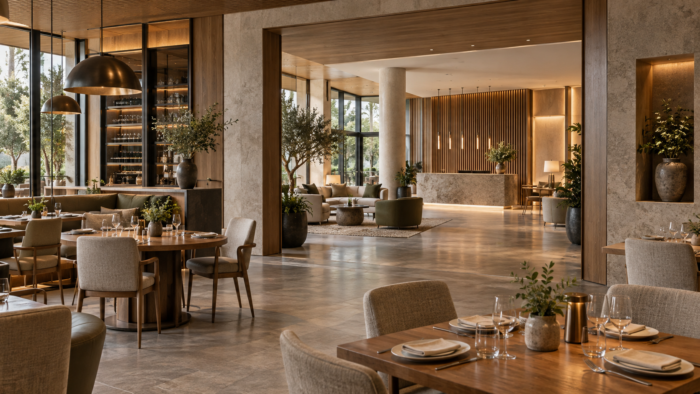
Virtual tour for a cafe: how to show the atmosphere before booking Briefly: A virtual tour of a cafe is an interactive 3D walk through the hall, which the guest watches on their phone in 30 seconds and decides whether to book a table or not. According to our data from projects 2024-2025, cafes with tours receive 20-35% more confirmed bookings than those that show only a photo gallery. A virtual tour of a cafe solves the main task of the establishment - to remove the guest’s doubts even before he calls the administrator. Flat photos are deceptive: a wide-angle lens makes a narrow room look spacious, and the warm light in staged photos almost never matches the evening lighting. In a 3D tour, a person himself “walks” between the tables, turns 360°, sees the distance to his neighbors and understands whether a group of six people will fit at the window. We at 360° Space have been filming such tours since 2019 - from small 40 m² coffee shops to restaurant complexes with summer verandas. Why does a restaurant need a 3D tour? When we did a tour for a chain of coffee shops in Kazan (three points, filming in one day), the owner sent a screenshot from the CRM a month later: the number of bookings from the website almost doubled, and calls with the question “do you have a separate room?” became noticeably smaller. The reasons that we see in practice: Increase in bookings by 20–35%. The guest sees the hall, selects a table and reserves it specifically - on the tour we put clickable labels directly on the tables. Minus 40% of untargeted calls. Questions about the number of seats, the presence of a children's corner, accessibility for strollers - everything is visible on the tour. +15% to the average check at banquets. The event customer immediately understands the capacity of the hall and is not afraid that “there won’t be enough space for the cake and gifts.” SEO bonus: +25–40% time on site. Google and Yandex love pages with interactive content - the tour keeps the user engaged for 2-4 minutes instead of the usual 30 seconds. Ready content for social networks. From the tour we take out separate panoramas for Instagram, TikTok, Yandex.Maps and 2GIS. Tourists are a different story. A guest from out of town chooses where to have dinner by looking at his phone in the subway. If you have a tour, but your neighbors do not, the choice is often made in your favor in seconds. How it works Shooting a cafe usually takes from 2 to 5 hours depending on the area. We work at night or before opening so as not to disturb guests. When filming a 600 m² restaurant in Moscow, we left at 6 am and finished it in 4 hours - before the first shift of cooks. Technology - Matterport Pro3. The camera scans the space from points every 2–2.5 meters, automatically stitches panoramas and builds an accurate 3D floor plan with an error of 1%. At the end you get: An interactive tour with transitions between points (walk-through). Dollhouse is a type of “doll house” where the entire restaurant is visible from above in section. Floor plan with actual dimensions - convenient for calculating banquets. Clickable tags: menu, photos of dishes, “book a table” button. We deliver the finished tour in 3-5 working days. You can store and display in three ways: (1) in the 360° Space cloud - fast servers, technical support, updates; (2) on the customer’s server - if you have your own IT infrastructure and data requirements; (3) an offline version for PC or a separate assembly for a VR headset - relevant for exhibitions and presentations to investors. One client from St. Petersburg asked for an offline version to demonstrate the concept at a HoReCa exhibition. See all projects → How much does a virtual tour for a cafe cost? The cost depends on the area, number of zones and additional options (menu labels, integration with the reservation system, interface branding). Approximate ranges: Small coffee shop up to 80 m² - from 15,000 ₽. Cafe or bar 80–200 m² - from 25,000 ₽. Restaurant 200–500 m² with several halls - from 45,000 ₽. Restaurant complex with a veranda and banquet rooms - on request. The price includes an operator visit, processing, placement and a year of technical support. It is more convenient to calculate the exact figure for your object in a calculator - it takes into account the area, number of floors and the necessary integrations. What almost always pays for itself in 2-3 months is adding reservation tags directly to the tables. The guest clicks on the table by the window and is taken to the reservation form for that particular place. We did such integration for a wine bar - 60% of bookings came through the tour in the first month. Frequently asked questions Do I need to close the cafe during filming? No. We shoot at night, early in the morning or on a sanitary day. The staff is not included in the frame - Matterport scans the empty room. When filming a cafe in the center of Moscow, they were open from 5 to 9 am, and everything was cleaned up before the opening. Is it possible to update the tour after renovation or furniture change? Yes. Reshooting individual areas takes 1–2 hours and costs less than a full tour. If only a few points changed, they removed it and updated it in the round without reassembly. How to embed a tour on a cafe website? We provide a ready-made iframe code - it can be inserted into any website (Tilda, WordPress, Bitrix) in a couple of minutes. The tour can also be placed in the establishment’s card on Yandex.Maps, 2GIS and Google Business Profile. Calculate costProject catalogMatterport

3д тур цена — 360space.ru

Price of a 3D tour for business: what affects the cost and how to save

The price of a 3D tour for business: what affects the cost and how to save Briefly: The cost of a 3D tour depends on many factors, including the size of the object, detail and additional options. Understanding these nuances will help you plan your budget effectively and get a product that meets your needs. For example, for a small cafe of 50 m² and a large factory of 10,000 m², the price will be radically different. Wondering how much a 3D tour costs for your business? You are not alone. Many entrepreneurs want to use this technology for promotion, but are faced with the issue of pricing. In this article, we, the 360° Space team, will tell you what the 3D tour price consists of, what factors influence it and how you can optimize your budget. Step 1: Determine the scale of the object The first thing that directly affects the cost of a 3D tour is the size and complexity of the object. The larger the area, the number of rooms, floors, the more time is required for filming and subsequent processing. For example, shooting a small studio with an area of ​​30 m² will take a couple of hours, but a multi-story business center may require several days of team work. We always study the layout in detail. If this is a 600 m² restaurant with several rooms and a kitchen, we allocate more shooting points and time for post-processing than for a small store. It is important to consider not only the total area, but also the number of individual areas that need to be shown on the tour. Step 2: Select details and additional options A simple 3D tour includes basic navigation through panoramas. But often clients require more. For example, interactive points (hotspots) with photos, videos, text or links to products. This could be a menu in a restaurant, a description of exhibits in a museum, or characteristics of a product in a showroom. The more such elements, the higher the labor costs and, accordingly, the price. Additional options such as voice acting, background music, virtual guide, integration with booking systems or e-commerce also increase the cost. We once did a tour for a hotel in Sochi, where the client wanted to add video reviews of guests directly to the panoramas of the rooms. This required additional installation and integration, which affected the final estimate. Step 3: Survey technology and equipment There are several approaches to creating 3D tours. We use professional panoramic cameras and technologies that provide high image quality. For some projects, especially when working with interiors, where maximum accuracy and measurement capabilities are needed, we use scanners like Matterport, which create not only panoramas, but also an accurate 3D model of the space. Using equipment like the Matterport Pro3 allows you to get a more detailed model, but also requires more time for shooting and processing, which is reflected in the price. The choice of technology always depends on the client's goals. If you just need a beautiful overview, our panoramic cameras are enough. If a client from Kazan wants his construction company to be able to conduct virtual walk-throughs of the site with measurements, then Matterport is indispensable. We always select the optimal solution. Step 4: Hosting and placement of the 3D tour After creating the tour, you need to place it somewhere. We offer several options: (1) 360° Space cloud with high-speed servers and technical support - this is the easiest and most convenient way for most clients; (2) placement on the customer’s server, if the customer has its own infrastructure and specialists for support; (3) a standalone offline version for PC or a separate assembly for a VR headset that works without the Internet. For example, we were asked to create an offline version for the exhibition so that the tour could be shown without being connected to the network. We do not use the term “unlimited hosting”, but we offer flexible hosting formats that allow you to choose the best option both in terms of cost and functionality. The cost of hosting a 360° Space cloud is usually included in the plan for a certain period or paid for as an annual subscription. Hosting on the client's server or offline version is a one-time payment for assembling and transferring files. Step 5: Deadlines and Urgency As with any service, urgency affects the price. If a project needs to be completed “yesterday,” this may require additional specialists or work outside of normal business hours, which will increase the cost. Planning ahead always helps save money. See all projects → Typical mistakes that increase the price of a 3D tour Unclear technical specifications: The lack of a clear understanding of what exactly is needed from the tour leads to modifications and alterations. Every change after work begins increases the budget. Trying to skimp on quality: Going for the cheapest deals often results in poor images, slow loading times, and lack of support. As a result, such a tour does not bring benefits, and the money is wasted. Unprepared subject: Before shooting, the room should be cleaned, arranged, and, if possible, decorated. If the team arrives at the site and it is a mess, they will either have to wait or return, which entails additional costs. Ignoring additional options: Ordering a basic tour, and then constantly adding “one button at a time” or “one more link” as the project progresses. It’s better to immediately think through all the necessary interactive elements. Frequently asked questions How long does it take to create a 3D tour? Creation time depends on the size of the object and the complexity of the tasks. A small room (up to 100 m²) can be ready in 3-5 working days from the date of shooting. For large objects (several thousand m²) the period may be 2-3 weeks. Can I make changes to the 3D tour myself? Basic changes, such as changing information in hotspots, can usually be done through our control panel, if such an option is provided in your tariff. For more complex changes (adding new panoramas, changing navigation) you will need the help of 360° Space specialists. How does a 3D tour affect SEO? A 3D tour increases visitor engagement on your site, increases dwell time, and reduces bounce rates. This has a positive effect on behavioral factors that search engines take into account when ranking. Calculate costProject catalogMatterport

купить виртуальный тур — 360space.ru

Buy or order a virtual tour: what is the difference and what is more profitable

Buy or order a virtual tour: what is the difference and what is more profitable Briefly: If you want to buy a virtual tour, it is important to understand that most often we are talking about ordering individual shooting and turnkey assembly. There are almost no ready-made universal solutions, because each object is unique. At 360° Space, we create 3D tours that are fully adapted to your tasks and features of the object. Clients often contact us with the request to “buy a virtual tour.” And this is logical: people are looking for a ready-made solution that can be applied immediately. But in reality, “buying” a virtual tour is, as a rule, ordering an individual service to create it. After all, each object - be it a restaurant, hotel, warehouse or residential complex - has its own layout, lighting, and accents. There is simply no universal 3D tour that would suit everyone. We, as the 360° Space team, are creating such tours from scratch, taking into account all the customer’s wishes. Why do you need a 3D tour: practical benefits A virtual tour is not just a pretty picture, it is a powerful marketing tool that solves specific business problems. Here are some examples from our practice: Increased conversion: On average, the presence of a 3D tour on a website increases the depth of page viewing by 30-40%. Visitors stay longer, explore the property, and are more likely to contact or purchase. For example, one of our clients from the hotel business in Sochi noted an increase in direct bookings by 25% after the introduction of the tour. Saving time for managers: Imagine how many questions are eliminated by the opportunity to “walk” around the facility online. Managers spend less time on initial consultations and demonstrations, answering more substantive questions. For a large business center in Moscow, we did a tour that reduced the number of initial introductory visits by 15%, relieving the leasing department. Expansion of sales geography: Potential clients can “visit” your facility from anywhere in the world. This is especially true for real estate, tourism and education. We created a tour for a Russian university, which allowed applicants from other countries to get a complete picture of the campus without coming in person. Standing out from competitors: a 3D tour is a modern and technologically advanced way of presentation. It demonstrates your company's openness and customer focus. In a market where competition is high, this becomes a significant advantage. One restaurant on Nevsky Prospekt, for which we did a tour, noted that visitors began to choose their establishment more often, citing “the opportunity to see everything in advance.” Improved SEO Scores: Google, Yandex and other search engines love interactive content. 3D tours improve behavioral factors (time on site, bounces), which has a positive effect on positions in search results. How it works: the process from shooting to the result Creating a virtual tour is a multi-stage process that requires a professional approach. At 360° Space we work according to a clear algorithm: Planning and coordination: We start by discussing your goals and objectives. What information needs to be conveyed? Which points should be included in the tour? Do you need to add interactive elements - videos, photos, text descriptions? We analyze the object, its features and offer the optimal shooting plan. Filming: Our team goes to the site with specialized equipment. This is not just “photography”, but the creation of a series of high-resolution spherical panoramas. We use professional cameras and tripods to obtain the most detailed and high-quality images. When shooting a restaurant of 600 m², we can take up to 50-60 panoramas to cover all the rooms and interior details. Post-processing and stitching of panoramas: After shooting, the “magic” begins in the studio. Panoramas are stitched together, color and exposure are adjusted, and minor defects are removed. The goal is to create a seamless, realistic image that immerses the viewer in the space. Tour assembly: We collect all panoramas into a single navigation system. “Hot spots” are added to navigate between locations, information pop-ups, video, audio, links to a website or order form. These can be branding elements, logos, corporate colors. Placement and testing: The finished tour is placed on the selected platform. We offer several options: (1) 360° Space cloud with high-speed servers and technical support; (2) the customer’s server, if the customer wants to deploy the tour on his infrastructure; (3) an offline version for PC or a separate assembly for a VR headset that works without the Internet. After placement, we always conduct final testing to ensure it works correctly on all devices. Examples of our work View all projects → How much does it cost: price range and factors The cost of a virtual tour is always an individual calculation, because each project is unique. You cannot simply “buy a virtual tour” at a fixed price, like a product in a store. The price depends on several key factors: Size and complexity of the object: The number of panoramas directly affects the cost. The larger the area, the more separate rooms or zones, the more shooting points will be required. For example, a tour of a small apartment will cost significantly less than a tour of a multi-story shopping center. Number of interactive elements: Do you need additional photos, videos, text descriptions, links? Each such element requires separate preparation and implementation work. Additional functions: Voice guidance, integrated maps, distance measurement function, the ability to order or book directly from the tour - all this expands the functionality and affects the final price. When we were asked to make an offline version for an exhibition, this also added to the cost, as it required separate assembly. Urgency of completion: As in any industry, accelerated deadlines can affect the cost of the project. Hosting format: Hosting on our servers is already included in the price, but if specific assembly for a VR headset or integration into the customer’s complex IT infrastructure is required, this may require additional resources. In general, the starting price for a simple virtual tour of a small property (for example, a one-room apartment or a small office) can start from 15,000 - 20,000 rubles. More complex projects, such as large hotels, factories or residential complexes, can cost from RUB 100,000 and above. To get an accurate estimate, use our online calculator or contact us for a personal consultation. We are always ready to offer the optimal solution to suit your budget and objectives. Frequently asked questions Q: How long does it take to create a virtual tour? A: The timing depends on the size and complexity of the object, as well as the number of interactive elements. Typically, from the moment of shooting to receiving the finished tour, it takes from 5 to 15 working days. For very large or complex projects, timelines may be longer. We always discuss them at the planning stage. Q: Can I update the tour if something changes at my property? A: Yes, of course! We provide services for updating and finalizing tours. If you have made a rearrangement, added a new service or changed the interior, we can take the necessary panoramas and integrate them into the existing tour. It's much cheaper than creating a tour from scratch. Q: Do I need my own website to post a 3D tour? A: Not necessarily. We offer flexible formats...

виртуальный тур цена — 360space.ru

How much does a virtual tour cost: full price list 2026 for all niches

How much does a virtual tour cost: full price list 2026 for all niches Briefly: The price for a virtual tour in 2026 is formed individually, depending on the area, complexity of the object and additional options. For example, a tour of a small apartment can cost from 15,000 ₽, and for a large hotel it can be much more expensive. The question “virtual tour price” is one of the key ones for those who are considering this tool for their business. We at 360° Space encounter it every day. It is important to understand that this is not just a cost for the number of panoramas, but an investment in an effective marketing tool that brings real returns. Let's figure out what the cost is made up of and what factors influence the final amount. Why do you need a 3D tour? A virtual tour is not just a pretty picture, but a powerful tool for solving specific business problems. It helps shorten decision cycles, improve conversions, and increase customer trust. Here are a few key benefits our clients are seeing in their practices: Increased online impressions by 300%. This is especially true for real estate. Buyers or renters can “walk” a property without leaving their home, greatly increasing their engagement before a physical visit. Reducing the number of “empty” visits by 25–40%. Clients already have a complete understanding of the property, and only those who are truly interested come. We noticed this while working with several real estate agencies in Moscow. Increase website conversion by up to 20%. Interactive content retains the user longer and makes their interaction with the site deeper. For example, for one restaurant in St. Petersburg, we tracked that users who viewed the tour spent an average of 2 minutes longer on the page. A distinct advantage over competitors. In a highly competitive environment, especially in the hospitality or sales industries, a 3D tour makes your property stand out. Clients choose those who provide the most information. Global audience coverage 24/7. Your object is available for viewing from anywhere in the world, at any time, without restrictions. This is especially important for tourist sites and educational institutions. How it works: the filming process, timing, result The process of creating a virtual tour in 360° Space is fine-tuned to the smallest detail. It includes several stages, each of which is important to obtain a high-quality result. First, we discuss the project with you: the area of ​​the facility, the number of rooms, the presence of special zones that need to be highlighted. For example, when shooting a 600 m² restaurant with several rooms, it was important to take into account the arrangement of tables and lighting for each room. Next comes the shooting stage. Our specialists come to the site with professional equipment. We use specialized 360-degree cameras and tripods. The shooting time depends on the area and complexity: for a small apartment it can be 1-2 hours, for a large production workshop - a whole day or even several. We always try to work as efficiently as possible so as not to interfere with your activities. After shooting, post-processing begins. This is the most time-consuming stage. We stitch together panoramas, correct colors, eliminate defects, add interactive elements: information points, videos, photographs, links, order buttons. At this stage we can also integrate 3D models of objects if necessary. The entire process takes from 3 to 10 working days, depending on the complexity of the project. The result is a ready-made, fully interactive virtual tour. It can be posted on your website, Google Maps, social networks. We offer flexible storage and tour delivery options: you can use the 360° Space cloud on our high-speed servers with technical support; place the tour on the customer’s server using your own infrastructure; or get an offline version for PC or a separate assembly for a VR headset that works without the Internet. For example, we were once asked to create an offline version for an exhibition in order to demonstrate objects without depending on Wi-Fi. See all projects → How much does it cost: price range There is no single fixed price for a virtual tour, since each project is unique. The cost is determined based on several key factors. We always calculate the cost individually to offer you the optimal solution. The main factors influencing the cost: The area of ​​the object and the number of shooting points. The larger the area and the more panoramas you need to make for full coverage, the higher the cost. For example, a tour of a 100 m² dental clinic will be significantly cheaper than a tour of a 10,000 m² shopping center. Complexity of the object. The presence of many small details, complex lighting, and hard-to-reach places increases the shooting and post-processing time. Additional interactive elements. Including information pop-ups, video, audio, website links, order buttons, feedback forms - all this adds value to the tour and affects its cost. Integration with other services. For example, posting a tour on Google Maps or integrating with your CRM system. Urgency of order fulfillment. If a project needs to be completed under a tight deadline, this can impact the cost. Object location. Travel outside the city or region may include transportation costs. We work throughout Russia, and for a client from Kazan, for example, the cost will include travel expenses. As a guide, the price for a virtual tour can start from 15,000 rubles for small objects (for example, a one-room apartment or a small showroom) and reach several hundred thousand rubles for large industrial enterprises, museums or hotel complexes with dozens of rooms and a large number of interactive elements. For a more accurate calculation, we recommend using our online calculator. We always provide a detailed estimate before work begins so you know exactly what you're paying for. Our goal is not just to make a tour, but to create an effective tool that will bring you real benefits. Frequently asked questions Q: Can I update the virtual tour if something changes in the premises? A: Yes, of course. We can re-shoot and update only those parts of the tour that have changed. This is much cheaper than doing the tour again. Q: How long does it take to create one virtual tour? A: The timing depends on the scale and complexity of the project. Typically, the full cycle from shooting to the finished tour takes from 3 to 10 working days. For very large objects, the terms are discussed individually. Q: Do I need special preparation of the room before filming? A: It is advisable that the room is clean, tidy and looks the way you want to present it. We will give detailed recommendations for preparation so that the result is as effective as possible. Calculate costProject catalogMatterport

Сравнение 3D-сканеров и платформ виртуальных туров — аналоги Matterport в России 2026

Analogues of Matterport in Russia: comparing 5 platforms in 2026

Matterport analogues in Russia: comparing 5 platforms in 2026 Briefly: Matterport analogues in Russia are a way to film and show 3D tours without depending on foreign subscriptions and foreign currency payments. We will analyze five working platforms, show the pros, cons and give a direct recommendation - without “depending on the situation”. Text for those who are already stuck on Matterport: the card does not pass sanctions, export for a VR headset is not available, but I want to give the client a tour on a flash drive for an exhibition. We at 360° Space have walked this path together with dozens of customers - from a developer in Kazan who rented a residential complex for 12 apartments, to a museum in Yekaterinburg who asked for an offline assembly for Oculus Quest 3 for a stand at the forum. The essence of the choice is simple: either the usual Matterport Pro3 camera with someone else’s cloud, or Russian and open solutions, where you decide for yourself where the tour lives - with us, with you, or without the Internet at all. Option A: Matterport through intermediaries Formally, the camera is still transported through parallel import, and the subscription is paid for through foreign legal entities. It works, but it's nervous. Pros: Familiar interface - customers have seen such tours on Western real estate websites. Auto stitching and Dollhouse view out of the box. Large library of tags, measurements, integrations with CRM. Cons: Payment for the subscription is through a payment plan, there is a risk of blocking your account and losing all tours. There is no regular offline version: the tour lives only in the Matterport cloud. Exporting to a standalone VR headset is a separate pain, often through third-party converters. Support is only in English, with a delay of a day. Option B: Russian and open platforms This includes solutions based on Insta360 / Ricoh Theta with assembly in Pano2VR, 3DVista, Kuula, Marzipano and our own 360° Space platform. They are different in depth, but have one thing in common: you are not tied to someone else’s subscription. Pros: Three hosting formats: 360° Space cloud with technical support in Russian, deployment of the tour on the customer’s server, offline version for PC or separate assembly for a VR headset without the Internet. Payment in rubles, agreement with a Russian legal entity, closing documents. Flexibility: custom fonts, branding, integration with 1C, amoCRM, Bitrix24. Shooting with the same panoramic cameras as Matterport competitors - the quality does not sags. Cons: One-button auto-stitching is not available everywhere - some platforms require manual operator work. The dollhouse-type (doll house) is not implemented by everyone, and is not so polished. The library of ready-made integrations is smaller than that of Matterport. From experience, the disadvantages are resolved at the shooting stage. For example, we shoot on Insta360 Pro 2 + Leica BLK360 lidar, and we get the “doll house” through our own rendering. Comparative table of five platforms Criterion Matterport 360° Space 3DVista Kuula Marzipano Payment in rubles Through an intermediary Yes Through an intermediary Through an intermediary Free (open-source) Cloud with support in Russian No Yes No Partially No Hosting on the customer’s server No Yes Yes No Yes Offline version for PC / VR Limited Yes Yes No PC only Auto stitching and Dollhouse Yes Yes (manual control) Partially No No Entry threshold for the customer Medium Low High Low High (a developer is needed) We compare prices qualitatively: Matterport through an intermediary is usually more expensive in the long run due to the monthly subscription in foreign currency; Kuula and Marzipano are cheaper, but do not cover offline tasks; 360° Space and 3DVista are comparable on medium-sized projects, but on large projects, 360° Space wins due to the included support. Our verdict If you have real estate, a restaurant, a showroom, a museum or a production site of 200 m² or more, take the “Russian platform + operator with its equipment” combination. Matterport in 2026 in Russia is an extra layer of risk for the sake of a familiar logo. Specifically: for marketing and sales - the 360° Space cloud, so that the client opens a tour from his phone in a second. For corporate customers with a security service - deployment on the customer's server. For exhibitions, presentations and staff training - offline assembly on a laptop or a standalone version for Meta Quest 3 or Pico 4. Case study: a chain of car dealerships from three cities came to us with tours filmed on Matterport Pro2. We transferred them to 360° Space, connected dealer branding and put together an offline version for managers’ tablets. Sellers show the tour to the client directly in the salon, without Wi-Fi. Look at the latest projects - they have different niches and footage: View all projects → Frequently asked questions Is it possible to transfer an already filmed Matterport tour to 360° Space? Yes, if you still have the original panoramas or access to your account. We unload the spheres, rebuild the navigation, add branding and deliver the tour in the required format - cloud, your server or offline. How is the price compared to Matterport? We don’t publish the exact figures of our competitors, but based on experience, 360° Space works out cheaper over a long distance - there is no monthly subscription in foreign currency, the payment is one-time for the project. You can calculate a specific estimate using the calculator. Does the tour work on a VR headset without the Internet? Yes, we are separately building a standalone version for Meta Quest 3, Pico 4 or Oculus Rift. The tour is delivered via SideQuest or direct APK and works without Wi-Fi - convenient for exhibitions and presentations in the field. Calculate costProject catalogMatterport

matterport россия — 360space.ru

Matterport in Russia: how to order, terms, what’s included in the price

Matterport in Russia: how to order, terms, what is included in the price Briefly: Matterport in Russia is ordered on a turnkey basis - from the operator’s visit to the ready-made link to the tour. We shoot an average object of 300–500 m² in 1 day, installation and publication – another 3–5 working days. You can store the finished tour in three ways: in the 360° Space cloud, on the customer’s server, or offline assembly under VR. Matterport in Russia today is not exotic, but a working tool for realtors, museums, hotels and industries. The technology comes from the USA, but we learned to shoot with Matterport Pro3 and BLK360 cameras a long time ago: the 360° Space team photographed more than a thousand objects from Kaliningrad to Vladivostok. Below we will look at what the order looks like in practice, how many days in advance you will receive the finished tour and what the price consists of. No marketing fluff - just what clients actually ask on the first call. Spoiler: the most expensive part of the project is not the shooting, but the logistics and post-processing of complex objects like shopping centers. Why does a business need a 3D tour on Matterport Clients rarely come with an abstract “I want a tour” - usually the task has a specific number that needs to be moved. This is what Matterport gives in real projects: Saving time on showings. A real estate agency from Kazan, after publishing tours at 40 properties, reduced the number of “empty” trips by 60% - buyers are eliminated at the virtual viewing stage. Increased conversion on the site. A hotel in Sochi added a Matterport tour to its rooms page - viewing depth increased by 2.3 times, direct bookings increased by 18%. Accurate measurements without visiting. The built-in Measurement Mode tool gives an error of up to 1%. When filming a 600 m² restaurant in Nizhny Novgorod, the ventilation contractor made a tour design without visiting the site. Documenting the condition. One tour once a quarter - and you have an archive of repairs, defects, and layouts. A customer from a construction company sends operators to 4 sites a month just for this purpose. Distance learning and briefings. A production workshop in Yekaterinburg was filmed in VR - new employees study evacuation routes in a headset before their first shift. How it works: from application to finished link The process is divided into three stages. The first is coordination. We specify the area, number of floors, operating mode of the facility and the target platform (web, VR headset, integration into CRM). Usually a 15-minute call and a floor plan in any format is enough - even a handwritten photo. The second stage is filming. The cameraman arrives with a Matterport Pro3 camera, a tripod and a backup battery. For every 15–20 m², one panoramic point is made: the camera itself rotates 360°, takes pictures and measures distances with a lidar. Speed ​​- approximately 100–150 m² per hour in a “clean” object without furniture, 60–80 m² in a residential apartment with people and cats (tested). The third is post-production. The points are stitched together in the Matterport cloud, the operator cleans the artifacts, places tags (descriptions, links, videos, product pictures), generates a dollhouse view and floor plans. Next is publication. Here the customer chooses where the tour will live: Cloud 360° Space - our high-speed servers with technical support. The link can be embedded on the site in 2 minutes via iframe. Customer's server - if internal security rules do not allow the tour to enter the external cloud. We deploy it on the client’s infrastructure and provide instructions for updating. Offline assembly - a standalone version for PC or a separate assembly for a VR headset. Works without the Internet - convenient for exhibitions, museums in the outback, sensitive objects. We recently assembled one for a stand at an industrial exhibition - the tour was launched from a flash drive. Time frame for an object of 300–500 m²: shooting – 1 day, installation and publication – 3–5 working days. We shoot large objects from 2000 m² in 2-3 shifts, post-production - up to 2 weeks. See all projects → How much does Matterport cost in Russia? The price is made up of four components: the area of ​​the object, the complexity of the shooting (furniture, lighting, time restrictions), the distance from the operator’s base and the depth of post-production. A small apartment or office up to 100 m² within Moscow will cost from 15,000 ₽ turnkey - with publishing in the cloud and a basic set of tags. The average facility - a retail space, a restaurant, a showroom of 300–600 m² - falls in the range from 35,000 to 80,000 rubles. Custom tags, website integration, and a floor plan in PDF are already added here. We consider large projects (hotels, factories, museums from 1500 m²) individually - the team’s travel to the region, work at night or on weekends, and VR assembly are greatly influenced. The guideline is from 120,000 ₽, but the real fork is wide. What is always included in the price: shooting, processing, publication of the tour, embedding link, floor plan, dollhouse view, integration consultation. What is paid separately: travel outside the home city (by mileage), complex tags with video/3D models, offline assembly for a VR headset, urgency (less than 48 hours for installation). It’s more convenient to estimate the exact figure for your object in a calculator - there are 4 steps and the result is within a minute. Frequently asked questions Is it possible to rent Matterport in another city if you don’t have an operator there? Yes, we work all over Russia. We have operators in 12 cities, we travel to the rest - the cost of travel is included in the estimate as a separate line. For objects over 500 m², the move often pays off due to the scale. Will the tour still work if I stop paying for the Matterport cloud? This is why we offer three accommodation formats. If you want independence from a subscription, we deploy the tour on your server or provide an offline build. This is a one-time job, then the tour lives without monthly payments. How long will the operator spend on site? Apartment 60–80 m² - about 1 hour. Restaurant or office of 300 m² - 2–3 hours. Large object from 1000 m² - full time, sometimes two. We try to film outside of business hours so as not to disturb your clients and employees. Calculate costProject catalogMatterport

How Matterport works: shooting, processing, results in 24 hours

How Matterport works: shooting, processing, result in 24 hours Briefly: Matterport 3d tour is assembled according to the chain “shooting with a Pro3 or Pro2 camera → automatic stitching in the cloud → publishing a link.” On a 200 m² site, we shoot within 2–3 hours; the client receives the final tour within 24 hours. Then there are three placement options: 360° Space cloud, client server or offline assembly. This guide will be useful to owners of restaurants, hotels, showrooms, realtors and marketers - anyone who wants to understand how a working matterport 3D tour appears from an empty room in 24 hours with a link that can be posted on social networks or embedded on a website. I’ll tell you without marketing: what actually happens on the site, where the processing time goes and where the client most often loses quality due to minor mistakes. Over the past year, we have photographed more than 90 properties on Matterport - from studio apartments to a 4,500 m² warehouse. The scheme is almost always the same, the nuances differ. Step 1. Preparation of the object and technical specifications Before the film crew leaves, we agree on the list of zones, light and purpose of the tour. If this is a restaurant, we discuss whether display cases with dishes are needed (a client from Kazan asked to shoot after setting the tables, so we had to shift the shift to 11 am). For real estate - we remove personal belongings, turn on all the lights, turn off mirror TVs. At the same stage, we record where the finished tour will go: only to the website, to VR glasses for the exhibition, or to the client’s server with closed access. The final export—and therefore the processing time—depends on this. Step 2. Shooting with a Matterport Pro3 camera Place the camera on a tripod, fix the first point, and then use the app to take a 360° scan in 20 seconds. We place points every 1.5–2.5 meters. A room of 200 m² means about 40–60 scans and 2 hours of work for one operator. On large objects (warehouse, car showroom, museum) we work in pairs - one operator controls the camera, the second makes sure that people do not get into the frame. The application immediately shows a preview of the passability - if the operator missed a pass somewhere, this can be seen in real time. A separate point is lighting. Matterport does not handle contrasting scenes well: bright window + dark corner = light and noise. When filming the showroom on Leninsky, we covered the windows with a diffuser film - otherwise the prices on the price tags would have disappeared on the scan. Step 3. Upload to the cloud and automatic merging After the last scan, click “Upload” - the data goes to the Matterport cloud. Then the algorithm itself collects the points into a single 3D model: it builds a mesh of the room, stitches together panoramas, and calculates geometry. The gluing time depends on the number of points. Apartment 60 m² - 40 minutes. Restaurant 600 m² - about 4 hours. The 4,500 m² warehouse was assembled overnight. No human participation is required at this stage - but that is why it is important to shoot cleanly, because it is impossible to “tweak” the algorithm after the fact. Step 4. Post-processing and branding Once the model is ready, the manual part begins. We cut off areas where the client does not want to allow the viewer (utility rooms, service doors). We place Mattertags - interactive tags with a description, photo or link to the product card. For an online furniture store, we installed 47 tags - each one leads to a product page with a price in rubles. Next comes branding: client logo, custom start screen, music (on request). If the tour goes for offline screening for the Meta Quest VR headset, we will prepare a separate assembly without Internet dependencies. This is plus 3–5 hours of work. Step 5. Publication: three placement options We give the finished matterport 3d tour to the client in one of three formats, and this is a fundamental point: Cloud 360° Space - the tour lies on our servers with technical support. The client receives a short link and an iframe for embedding on the site. Suitable for most - no need to administer anything. Customer's server - the tour is deployed on the client's infrastructure. Relevant for banks, government agencies and corporate customers, where data should not go outside. Offline - standalone version for PC or a separate assembly for a VR headset. Works without the Internet. We are often asked for this format for exhibitions and roadshows - recently we were preparing an assembly for a stand at Innoprom. Step 6. Acceptance and transfer to the client We send the client a link and call for 15 minutes - we show how to edit tags, change descriptions, add new photos. Then the owner manages the tour himself through his personal account. If everything was ready for shooting and the object does not exceed 500 m², we take 24 hours from the departure of the crew to the finished link. For large objects or complex branding – 2–3 days. Examples of ready-made matterport tours Below are the latest projects that we have filmed. Open from any device; Meta Quest or Pico are suitable for VR. See all projects → Typical mistakes when shooting Matterport Collected what often causes you to reshoot or get an ugly result: Shooting points that are too rare. If you place the camera every 4-5 meters, the algorithm does not have time to “sew” the geometry - the tour turns out with dips and strange transitions. The optimum is 1.5–2.5 m between points. People and movement in the frame. Matterport doesn't understand movement. A passerby or waiter in the frame turns into a “ghost” with distorted geometry. Make arrangements to shoot before the facility opens. Mirrors and glass doors. The camera perceives the mirror as a passage, and the algorithm begins to build “phantom” rooms. It is better to cover large mirrors with a cloth while shooting. Change of light in the middle of shooting. If you first filmed during the day, then it got dark, the dots will not stick together in color. We keep one lighting mode for the entire session. Frequently asked questions How much does a matterport 3d tour cost? The price depends on the area, number of points and amount of branding. Landmark - from 15,000 ₽ for a small object. It is more convenient to make an exact calculation using the calculator on the website. Is it possible to embed a tour on your website? Yes, we provide an iframe code that can be inserted into any website - Tilda, WordPress, Bitrix, or a custom engine. The tour adapts to the width of the block. What if the property does not have internet? We are preparing an offline version - a standalone build for PC or a separate build for a VR headset. Works without a network, suitable for exhibitions and presentations in the field. Calculate costProject catalogMatterport

matterport pro 3 — 360space.ru

Matterport Pro 3: camera review, features and who it's suitable for

Matterport Pro 3: camera review, characteristics and who it’s suitable for Briefly: Matterport Pro 3 is a professional camera with a LiDAR scanner with a range of up to 100 meters, films both indoors and outdoors. During the shift, the 360° Space team scanned a shopping center with an area of ​​3200 m² in Nizhny Novgorod, the tour was assembled in three days. Matterport Pro 3 is the flagship camera of the American company Matterport, built around a LiDAR sensor and a 134 MP per frame matrix. Unlike the previous Pro 2, the third model works confidently outdoors: the sun no longer bothers it. We took it to the park first - we rented a loft with panoramic windows, where the Pro 2 had previously produced “holes” in the geometry. There were no holes here. The camera is designed for renters who sell tours as a product: premium real estate agencies, developers, museums, industrial facilities. For a home blog it is redundant, but for a hotel with 80 rooms or a production workshop it is definitely not. Why does a business need a 3D tour? We have been calculating the effect of client projects for six years and this is what we see in the numbers: Time on the site increases by 4–7 times. The average visitor spends 5-8 minutes on a tour page versus 40-70 seconds on a regular gallery page. For a developer client from Kazan, the conversion to an application increased from 1.2% to 3.8% after embedding the tour on the residential complex card. Minus 30–50% of “empty” views of the object. Realtors from St. Petersburg said: before the tour, 15 people came to the apartment in business class, bought 1. After that, 6 came, bought 2. People are eliminated at the online viewing stage. Acceleration of approvals by 40–60%. Architects and contractors see the object 1:1 without visiting. One customer, a chain of coffee shops, agreed on a new hall format for a tour with all regions in one Zoom. Increase in search traffic. Google and Yandex love pages with interactive content: viewing time is a signal of quality. At the museum in Yaroslavl, organic traffic increased by 34% in six months. Sales through VR display. A separate tour assembly for a Meta Quest or Pico headset closes deals at international exhibitions without the client physically traveling. How it works Shooting with Matterport Pro 3 takes place step by step: the operator places the camera on a tripod, starts scanning from the tablet, the camera rotates for 20–25 seconds, LiDAR reads the geometry, the lens takes a panorama. Next - move 2–2.5 meters, the next node. Speed ​​in practice: an apartment of 80 m² - an hour and a half, a restaurant of 600 m² - half a working day, a warehouse of 5000 m² - two shifts with one operator and an assistant. On the street, the camera shoots best in diffused light - the direct sun at 12 o'clock gives overexposure, we plan to shoot in the morning or evening. After field work, the point cloud and panoramas are sent to Matterport servers, where they are merged into a single 3D model. Usually we give the finished tour to the client in 24–72 hours - it depends on the volume and branding changes (logo, tags, audio guide, integration with CRM). The tour can be arranged in three ways. The first is the 360° Space cloud: our high-speed servers with technical support, the link is given to the customer, and an iframe is embedded on the site. The second is the client’s server: we deploy the assembly on the customer’s infrastructure, relevant for banks and government agencies with security requirements. The third is an offline version: a standalone build for a PC or a separate build for a VR headset, works without the Internet (we were recently asked to make one for a stand at Innoprom). See all projects → How much does it cost? The price of a tour on Matterport Pro 3 consists of three components: travel and filming, processing and assembly, accommodation with support. We have starting projects (apartment, small office) - from 15,000 ₽. The average commercial tour for 300–800 m² is from 35,000 to 90,000 rubles. Large objects - production facilities, shopping centers, museums - are counted individually: components, additional processing, VR assembly and tags are counted there. Compared to cameras like Insta360 or Ricoh Theta, Matterport is more expensive on small projects, but on projects over 500 m², the advantage in geometry and dimensional accuracy makes up for the difference. LiDAR gives an error of about 1% versus 5–7% for photo stitching. It is more convenient to look at the exact figure for your object on a calculator - it takes into account the area, urgency, number of floors and placement format. Frequently asked questions: Does Matterport Pro 3 shoot outdoors? Yes, third-generation LiDAR works at distances of up to 100 meters and is not afraid of sunlight. We photographed courtyards, parks, and industrial sites. There is only one limitation - rain and snow: drops fall into the sensor and damage the points. How is Pro 3 better than Pro 2? The LiDAR range has increased from 4.5 to 100 meters, the scanning speed of one node has increased by 3–4 times, and street photography has appeared. The panorama resolution is 134 megapixels versus 134 megapixels for Pro 2, but the geometry accuracy and color rendition are noticeably higher. Can a tour be embedded on any website? Yes, we provide the iframe code - it works on Tilda, WordPress, Bitrix, and any custom engine. If you need an offline display at an exhibition or in a showroom without the Internet, we assemble an offline version for a PC or VR headset separately. Calculate costProject catalogMatterport