

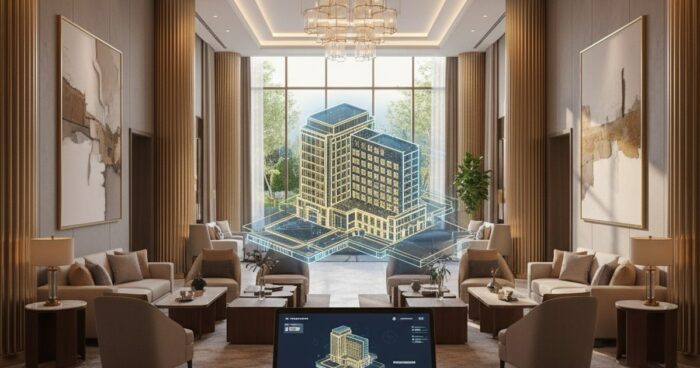
3D hotel map for a website: how to embed a tour and increase conversion
3D hotel map for a website: how to embed a tour and increase conversion Briefly: a 3D map of a hotel website is an interactive tour built into the booking page, where the guest himself walks through the rooms and lobby. According to our measurements, after installing a tour for a boutique hotel in Suzdal, the viewing depth increased from 2.3 to 4.1 pages, and the share of direct bookings increased by 18% in two months. This guide is for hotel owners and marketers who are tired of explaining over the phone “what is the view from the window” and “will a baby cot fit?” Let's go through it step by step: how to film a tour, where to embed it, what points of interest to add, and what won't break the mobile version. At the end are the typical mistakes that even large networks stumble upon. Step 1. Determine what to shoot and in what order Before calling the operator, make a list of objects: entrance group, reception, lobby, each type of room (not every room - namely type: standard, junior suite, luxury), restaurant, SPA, conference room, view from the terrace. For a hotel with 40 rooms, usually 15-20 scenes are enough - that's enough. A client from Kazan wanted to rent all 62 rooms in a row “to be fair.” We dissuaded him: the guest will not click on 62 identical doors. We rented 4 types + two rooms with a unique view of the Kremlin - the conversion rate for these two increased separately, they are the first to be booked. Step 2. Select shooting technology For the hotel, we use Matterport Pro3 or Insta360 in conjunction with our platform. Pro3 gives the exact dimensions of the rooms (the guest sees the real 18 m² and understands that a suitcase will fit) and a dollhouse view - a rotating model of the building. This works like a hook: a visitor to the site twists the layout and is drawn in. If your budget is limited, take panoramic photography with a professional camera - it will be cheaper, but without measurements and dollhouse. For a country eco-hotel with wooden cottages, we did exactly this: the atmosphere was more important, not the millimeters. Step 3. Embed the tour in the right place on the website The most common mistake is to put the tour in the “About Us” section. No one will find him there. The correct placement points are: the main one (large “Walk around the hotel” block above the fold), the card of each room (the “View room in 3D” button next to the price) and the “Booking” page before the payment form. Technically, it is embedded via an iframe in one line. The container size is at least 16:9; on desktop we recommend 800x450 px or more. For mobile phones, adaptive mode is required, otherwise the tour will be cut off. 360° Space has three hosting options: our cloud with technical support, your server (if IT department policy requires keeping everything internal) or offline assembly - we did the latter for a hotel that took a laptop to tourism exhibitions without a guarantee of Wi-Fi. Step 4. Add points of interest and prices directly to the tour. The naked tour is beautiful, but does not sell. Inside the scene you need interactive markers: clicking on the bed opens a pop-up “King-size 180×200, orthopedic mattress”, clicking on the window - “view of the embankment”, clicking on the minibar - composition and prices. On the “Book this room” button there is a direct link to the booking module with the category already entered. This is critical for conversion. When renting a hotel in Sochi with 90 rooms, we added 6–8 tags for each type of room. The owner later wrote: the number of calls “what is this view” dropped to almost zero, managers unloaded and began to squeeze real reservations. Step 5. Connect analytics and see where the guest exits. The tour should send events to Yandex.Metrica: opening the tour, transition between scenes, click on the tag, click on “Book”. In two weeks you will see a heat map - which numbers are viewed longer, where the user closes the tab. For one of our clients from Nizhny Novgorod, the lobby was watched for 47 seconds, and the spa area - 3 seconds. It turned out that the spa was rented at the wrong time: dim light, empty sun loungers. They reshot it - the average time on stage increased to 28 seconds, and sales of spa packages through the website doubled. Step 6. Examples of ready-made hotel tours Below are recent projects, you can click and see what a tour looks like at specific hotels: where the markers are placed, how the transition between scenes is designed, what is shown first. View all projects → Typical mistakes when implementing a 3D tour into a hotel website Hiding the tour in the basement of the site. If the “3D tour” link is in the footer next to the details, no one will see it. The tour should be on the main page and in each number card. They rent with uncleaned rooms. A crumpled sheet, a towel on the floor, a forgotten bottle - the guest will close the tab in 4 seconds. Before filming, housekeepers must work through the numbers as if under inspection. They forget about the mobile version. More than 60% of hotel website traffic comes from phones. If the tour is not adapted, the iframe goes off the screen, and the guest thinks that the site is broken. They don't update the tour after the renovation. They re-pasted the wallpaper, changed the furniture - the tour is outdated, the guest arrives and sees a different room. Re-shooting is needed every 2-3 years or after any significant renovation. Frequently asked questions How much does it cost to shoot a 3D tour for a hotel? Depends on the area, number of room types and technology. For a hotel with 20–40 rooms, this usually starts from RUB 60,000 on a turnkey basis with filming, installation, markings and embedding. It is convenient to estimate the exact figure in a calculator. Will the tour work on our server or only on yours? There are three options: 360° Space cloud with technical support, deployment on the customer’s server (if IT policy requires), or offline assembly for a PC and VR headset - relevant for exhibitions and presentations without the Internet. How long does it take to shoot and launch? A shooting day for a hotel with 30 rooms - 1-2 days on site. Post-production, tags and integration into the website - another 5-10 working days. In total, after two or three weeks the tour is already on the website and working. Calculate costProject catalogMatterport