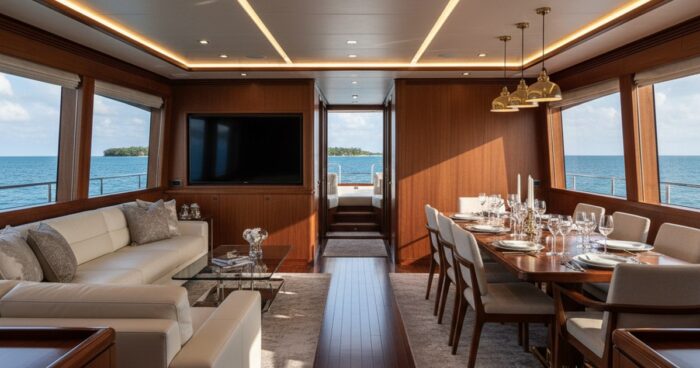
панорамный тур отличие 3д — 360space.ru

Panoramic tour and 3D tour: what is the difference and what is right for your business

Panoramic tour difference 3D is a question that clients ask every week when they compare studio offers. The difference at first glance seems purely technical, but in fact it determines the budget, the shooting period and how the visitor behaves within the tour. Let's look at both formats using examples from our projects and tell you what to use for the task. Briefly: Panoramic tour is a set of 360° spherical photographs connected by transition points. The 3D tour is built on a point cloud and provides a doll house, floor plan and measurements with an accuracy of ±1%. For a restaurant website, panoramas are enough; for selling apartments and a warehouse, you need Matterport. Panoramic tour - what it can do and where it stumbles A panoramic tour is assembled from spherical photographs taken on a DSLR with a fish eye or on a “ball” like the Insta360 Pro. The frames are glued together, hotspots are placed, and the person “jumps” between the points, turning his head 360°. Pros: The shooting goes quickly - we can cover a 60 m² apartment in an hour and a half. Picture resolution is up to 12K per panorama, details of textiles and logos are readable right down to the seam. The estimate is below - with the same area, a panoramic tour is usually a third cheaper than a 3D one. Easy to incorporate into branding: splash screen, music, pop-up descriptions of dishes or SKU. Cons: No free movement - only “teleport” from point to point. Floor plans are drawn manually by the designer and are not tied to real geometry. Measurements of furniture and openings are not available - only visual. The sense of volume fades: the guest sees a beautiful picture, but has a poor sense of scale. Fresh example. Furniture showroom in Kazan, 320 m², six style zones. It was important for the customer to show the upholstery textures and signatures of the collections. We shot 34 panoramas in one day and added links to product cards. Time on site increased from 42 seconds to 3 minutes. 3D tour on Matterport - what it can do and where it stumbles. A camera with lidar or structured light works here (Matterport Pro3, Leica BLK, Insta360 X4 with harness). It takes hundreds of points and simultaneously measures distances. The result is a three-dimensional model on which the visitor walks smoothly and does not jump. Pros: Doll house - top view, the building rotates like a toy. Automatic floor plan with ±1% accuracy. Measuring tool - you can measure the opening for the refrigerator right on the tour. Integration with real estate CRM and platforms like CIAN. Cons: Shooting takes longer - the restaurant on Patriarshikh, 600 m², we filmed for two full days, about 380 scans. The image is softer than the panoramic one - Matterport compresses images for streaming. The cost is higher, especially for complex geometry with mezzanines and stairs. The object needs to be hidden from people - movement in the frame breaks the stitching of the model. Case from practice. Plant in Chelyabinsk - three workshops, 4200 m². A panoramic tour would have provided “postcards”, but we needed measurements of the spans and an accurate plan for the designers. We made Matterport, sent the plan to DWG, and divided the shooting into four 8-hour shifts. Comparison table Criterion Panoramic tour 3D tour (Matterport) Shooting speed High, up to 200 m²/hour Average, 60–100 m²/hour Picture quality Higher, clearer details Softer due to compression Floor plan Drawed manually Automatically, with measurements Free movement Hotspots only Smooth movement Measurements inside the tour No Yes, accuracy ±1% Average budget from 25,000 ₽ from 45,000 ₽ We store and distribute both formats in three ways: 360° Space cloud with technical support, deployment on the customer’s server (a bank in Ufa took the tour into the security loop) and offline assembly for a PC or VR headset without the Internet - the latter is requested for exhibitions and closed corporate shows. Our verdict For a restaurant, hotel, showroom, beauty salon, store - take a panoramic tour. What is important to the guest is the atmosphere, not the centimeters between the columns. The shooting is completed within a day, the picture “sells” the interior, the estimate is feasible even for a single establishment. For real estate (rent, sale, commercial space), manufacturing, warehouses, museums and educational institutions - only Matterport 3D tour. A realtor's client wants to measure a niche for a closet, an investor wants to see the layout from above, a museum curator wants to build a route through the halls with reference to coordinates. There are hybrids. At an 800 m² facility in Sochi, we made Matterport for the main hall and 12K panoramic inserts for jewelry displays - there we needed highlights and edges of stones in maximum quality. Frequently asked questions Is it possible to embed both tours on one website? Yes. We often use Matterport as the main “walk through the object” block and high-quality panoramas as “view details” - both are inserted as an iframe onto one page. Which format is better for a VR headset? Panoramas are readable in any VR player out of the box. Matterport requires its own shell or export of the model to Unity - for VR displays we assemble a separate offline assembly for a specific headset. How is the finished tour stored? Three options: 360° Space cloud with our technical support, installation on the customer’s server (relevant for banks and government agencies) or a standalone offline version for PC and VR. We discuss the placement format depending on the task. View all projects → Calculate costProject catalogMatterport

виртуальный тур для отдела продаж — 360space.ru

Virtual tour for the residential complex sales department: open 24/7 without a manager

Virtual tour for the sales department of a residential complex: works 24/7 without a manager Briefly: A virtual tour for the sales department is an interactive 3D model of an apartment or residential complex, which the client walks through from anywhere in the world. In our practice, at a property in New Moscow, the conversion from showing to booking increased from 8% to 17% in two months after the launch of the tour. A virtual tour for the sales department solves the developer’s main pain point: the client doesn’t want to go to a construction site in the mud, and doesn’t understand the space from the renderings. At 360° Space we film showrooms, sample apartments and entire sections - the tour is built into the website, sent to the messenger and opened from the phone without installing applications. The manager sends a link - the client himself walks around the future apartment at 22:00 from a neighboring region. No pre-registration or logistics. Below are specifics on benefits, shooting times and price ranges. Why does a developer need a 3D tour in the sales department? We collected figures from our latest projects - a comfort-class residential complex in Kazan, apartments in the center of Nizhny Novgorod and a country village near Tver. Work without a manager 24/7. A client from Vladivostok looks at an apartment in a Moscow residential complex at 3 a.m. Moscow time - the application falls into the CRM in the morning. In one project, 31% of all lead impressions occurred during non-working hours. Reduce empty exits by 40–60%. Before the tour, they came to the office for a meeting and “just to have a look.” Afterwards, those who have already decided on the layout go to the meeting. Managers stopped wasting time. Increased impression-to-booking conversion. On a project in New Moscow - from 8% to 17% in two months. By the time of the call, the client had already “lived” the apartment with his eyes. Sale of unbuilt. We rent one model floor - the tour covers 200+ apartments of the same layout. For an LCD with 12 cases, we saved the customer from shooting each section separately. Regional and foreign buyers. One of the clients, a premium segment developer in Sochi, closes 40% of transactions with buyers from Moscow and Kazakhstan, who come for the first time to sign the agreement. A separate benefit is that the tour takes the load off the call center. Half of the questions “where are the sockets”, “what is the height of the ceilings” disappear: on the tour there are hint points with text and photos. How it works: from filming to embedding into a website The process is simple, but there are nuances that we have worked out over 400+ projects. Step 1. Preparing the object. The day before the shooting, the construction manager prepares the apartment: removes construction debris, turns on the lights, closes unnecessary doors. If we rent a furnished showroom, we ask you to remove personal belongings and turn on all decorative lights. It’s a small thing, but the shot without the backlight on in the kitchen looks dead. Step 2. Shoot with a Matterport Pro3 camera. Standard apartment 60–80 m² – 1.5–2 hours. A two-level penthouse of 220 m² in St. Petersburg was rented for 4 hours including lunch. The camera is placed every 1.5–2 meters, makes a 360° sphere and laser measurements. The error is 1% at 3 meters. Step 3. Processing and assembly. 3–5 business days. We glue the spheres together, mark transition points, add a menu, developer branding, and a “submit a request” button right in the tour. Upon request, we will sew in a floor plan with clickable rooms. Step 4. Placement. We give three options to choose from: the 360° Space cloud with our technical support and high-speed servers, deployment on the customer’s server (relevant for large developers with an internal IT department) or offline assembly - a standalone version for a PC in the sales department or a separate assembly for a VR headset for exhibitions and MIPIM. At a real estate exhibition in Dubai last fall, one of our clients showed an LCD in Oculus Quest - offline, without Wi-Fi at the stand. The finished tour is a link, an iframe for embedding on the developer’s website and a QR code for banners and booklets. See all projects → How much does a tour cost for the sales department? The price depends on the area, number of layouts and depth of assembly (with a menu, floor plan, built-in application form or basic option). Sample apartment 40–80 m² - from 25,000 ₽ turnkey. Furnished showroom 100–150 m² with branding - from 45,000 ₽. Section with several layouts (5–8 apartments) - from 90,000 ₽. Comprehensive photography of residential complexes (Mops, entrance group, all standard layouts, parking) - on request, usually 250,000–600,000 rubles depending on the scale. It’s convenient to estimate the exact estimate for your property in the calculator - you can also see the range of deadlines there. Another point that is often asked about: the tour does not “die” after the completion of the residential complex. We continue to host the project as long as the developer needs - flexible hosting formats allow you to transfer the tour to the client’s infrastructure or issue an offline copy for the archive at any time. Frequently asked questions Is it possible to rent an apartment without finishing and “finish” the renovation? Yes, this is a separate service - virtual staging. We shoot the “gray key” and add furniture, light and textures in post-processing. It costs more than a basic shoot, but saves on showroom furnishings. How many days will the tour be ready after filming? The standard period is 3–5 working days. If you need a built-in application form, floor plan and branding - plus 2-3 days. We do urgent launches within 48 hours by agreement. Will the tour work from the client's phone? Yes, it opens in any browser on iOS and Android without installing applications. We checked it on a connection in the Moscow metro - it loads on 4G in 3-5 seconds. VR mode is activated by a button in the tour interface. Calculate costProject catalogMatterport

заказать виртуальный тур — 360space.ru

How to order a virtual tour: step-by-step guide and questions for the contractor

How to order a virtual tour: step-by-step guide and questions for the contractor In short: Ordering a virtual tour is 5-6 steps from goal setting to acceptance. A commercial property of 300–500 m² is rented in one day, publication takes 3–7 working days. The final cost depends on the area, shooting technology and storage format - cloud, customer server or offline. Ordering a virtual tour is easy if you understand in advance why it is needed and how it will be used. The guide will be useful for marketers, realtors, restaurant and hotel owners, museum curators and HR managers who need virtual office onboarding for remote employees. Let’s look at the procedure and questions that should be asked to the contractor before signing the contract so that in a month you don’t have to redo the project at your own expense. Step 1: Define the problem and target user A tour for a residential sales team and a tour for a museum are two different products. In the first, integration with CRM, a branded interface, distance measurement and planning are important. The second includes high-quality voice acting, points of interest with long texts, support for mobile browsers and weak networks. A client from Kazan, a network of children's centers, initially asked for “just panoramas for the site.” After half an hour of conversation, it turned out that the real goal is to reduce single visits from parents by 30%. The format was changed to an interactive tour with points where you can see the schedule, safety zones and the faces of the coaches. Panoramas would not solve the problem. Step 2. Choose a shooting technology Three basic options. Matterport is a photorealistic 3D model with a dollhouse view and accurate measurements, suitable for real estate, warehouses, and industrial facilities. Panoramic tour on DSLR with HDR mirror panoramas - maximum picture quality, flexible interface settings, any branding. Hybrid - Matterport for navigation plus separate HDR panoramas at key points where detail is important. When shooting a 600 m² restaurant in St. Petersburg, we used exactly a hybrid: Matterport led through the halls and utility rooms, and the bar counter and open kitchen were shot in separate panoramas with manual bracketing - so that bottles, dishes and copper parts did not “float” and did not give overexposure. Step 3: Agree on storage and delivery format There are three options here, and this is an issue that many contractors try to avoid at the sales stage. The first is the 360° Space cloud, high-speed servers with technical support and availability monitoring. Suitable when the tour is built into the site and you need a quick response from anywhere. The second is the customer’s server: the tour is deployed on the client’s own infrastructure, full control over the data, relevant for banks, government agencies and corporate facilities with NDA. The third is offline: a standalone version for PC or a separate assembly for a VR headset, works without the Internet. We were asked to make an offline version for an exhibition at the Expo Center - Wi-Fi there is traditionally unstable, and it was necessary to show it to investors without delays. We put together a standalone build for a laptop and, in parallel, a build for Meta Quest, so that visitors could put on a helmet and walk through the facility themselves. Step 4. Prepare the subject for shooting The readiness of the subject directly affects the final quality. Remove personal belongings, lay out the assortment, turn on all lights (including decorative and display lighting), close technical areas. For residential property - make the beds, remove magnets from the refrigerator, hide wires and chargers. A studio apartment of 32 m² in Moscow required two visits - the first time, the owners forgot to remove the clothes dryer in the bathroom and the cat food in the hallway. The in-house retoucher did the job, but a couple of hours of post-production ended up being billed to the client. An hour of cleaning in advance is cheaper than any editing. Step 5. Ask the contractor the right questions What to ask before signing: Who owns the copyright to the final files and RAW sources? Is it possible to get a copy of the tour for local deployment on our server? How is rework calculated - in hours, as a percentage of the budget, or as a separate technical specification? What formats are provided at the reception - only the link or including the original panoramas? Is there an availability SLA if the tour is hosted on the contractor’s cloud? Is offline assembly possible now or in six months, when needed for an exhibition? Step 6. Acceptance and publication Take the tour yourself from your smartphone, tablet and desktop. Check the loading speed on the 4G mobile Internet, the operation of points of interest, the correctness of captions and voice acting. Separately, watch the tour in a browser that you do not usually use - there is a chance to catch a bug with CORS, fonts, or video playback. Only after this - publication and announcement. View all projects → Typical mistakes when ordering Savings on site preparation. Retouching and repeated departure of the film crew are more expensive than an hour of cleaning before the photographer arrives. There is no technical specification for integration. The tour is done “in a vacuum,” and then it turns out that it needs to be built into a personal account with authorization and the events transferred to analytics. Refusal of the offline version at the start. In six months, the exhibition season or business trip to an investor begins - and the tour operates only through the cloud with the Internet. Selecting a contractor based on price without viewing a portfolio of nearby projects. A beautiful studio apartment in your portfolio ≠ the ability to rent a 4000 m² warehouse with high shelving and low light. Frequently asked questions How long does it take to create a turnkey tour? Shooting a commercial property 300–500 m² – one day. Post-production, interface assembly and publication – 3–7 working days. For hybrid projects with voice acting, integrations or VR assembly, the period increases to 2-3 weeks. Is it possible to get a tour for your own server? Yes, we provide the finished assembly for deployment on the customer’s infrastructure. Additionally, an offline version for PC and a separate assembly for the Meta Quest or Pico VR headset are available - they work without the Internet. What does the cost depend on? Main factors: area and complexity of the object, chosen technology (Matterport, DSLR panoramas or hybrid), need for retouching, volume of integrations and delivery format. Exact calculation - through the calculator on the website or upon request. Calculate costProject catalogMatterport

3д тур по дому — 360space.ru

3D tour of a private house and cottage: how to show country property online

3D tour of a private house and cottage: how to show country property online Briefly: A 3D tour of a house is a powerful tool for selling or renting country property. It allows potential buyers or renters to “visit” a property online at any time, significantly increasing interest and reducing the number of “empty” showings. We once did a tour for a cottage in the Moscow region, and the owner noted that the number of calls with specific questions about the layout increased by 40% after the tour was published. Creating a 3D tour of a house or cottage has become an integral part of a successful strategy for promoting country real estate. In our practice, when we work with realtors or private owners, it becomes obvious that ordinary photographs and videos are no longer enough. The buyer wants to immerse himself as much as possible in the atmosphere of the future home even before a personal meeting. Why does real estate need a 3D tour? A 3D tour is not just a pretty picture, it is an effective marketing tool that brings specific benefits: Increased audience engagement. According to our clients, properties with 3D tours are viewed 2-3 times longer than those with only photos. The site visitor literally “walks” through the house, looking at details that might otherwise go unnoticed. Reducing the number of “empty” impressions. Once a potential buyer has already “visited” a home online, they come to the actual viewing with a much clearer picture of the property. This saves time for everyone involved in the transaction. One of our clients, who was selling a large cottage in the Leningrad region, said that after the launch of the 3D tour, the number of actual showings decreased by 30%, but every second viewing ended with a substantive discussion of the purchase. Expanding the geography of buyers. A 3D tour allows people from other cities and even countries to get acquainted with the object. This is especially true for luxury suburban real estate or houses by the sea. We worked on a villa project in Sochi, and it was bought by a client from Norilsk, who first saw the house through a 3D tour. Attracting more potential clients. 3D tour ads stand out from the competition. According to statistics, such ads receive 40-50% more clicks and requests. This increases overall conversion and speeds up the sales or rental process. High information content. You can embed markers in the 3D tour with a description of materials, area of ​​rooms, information about communications. This provides maximum useful information right away, without the need to ask unnecessary questions. We often include links to floor plans or video walkthroughs of utility systems in our cottage tours. How it works: the shooting process, timing, result Creating a 3D tour is a streamlined process that we at 360° Space have brought to perfection. It all starts with our specialist visiting the site. The shooting process: 1. Preparation of the object. Before filming, it is important to prepare the house: remove unnecessary objects, provide good lighting, open curtains. We always give detailed recommendations for preparation so that the result is as presentable as possible. 2. Panoramic photography. Our specialists use professional equipment - panoramic cameras and scanners, such as Matterport. They take a series of spherical photographs from each point, providing complete coverage of the space. For a large house with an area of ​​300-400 m², shooting takes from 3 to 6 hours, depending on the complexity of the layout and the number of details. 3. Data collection. In addition to visual data, the scanner collects information about the depth and dimensions of the room, which allows you to build an accurate 3D model. Deadlines: After filming, the data comes to us for processing. Our specialists stitch together panoramas, correct colors, create navigation and, if necessary, add interactive elements (info labels, videos, links). Typically, from the moment of shooting until the 3D tour is ready, it takes from 3 to 7 working days. If the project is urgent, we can speed up the process. Result: You receive a ready-made link to a 3D tour, which can be embedded on any website, sent by email or published on social networks. We offer several options for storing and delivering the tour: (1) 360° Space cloud on high-speed servers with technical support; (2) deployment on the customer’s server, which gives full control over the data; (3) an offline version for PC or a separate assembly for a VR headset that works without the Internet. For example, for a client from Kazan who wanted to show his cottages at exhibitions without being connected to the Internet, we created an offline version. See all projects → How much does a 3D home tour cost? The cost of a 3D home tour depends on several key factors: the total area of ​​the property, the number of rooms, the need to add interactive elements and the choice of platform for creating the tour (for example, Matterport or your own build). The price is also affected by the distance of the object from the base city. For a small private house with an area of ​​up to 100 m², the cost can start from 15,000 rubles. For large cottages with an area of ​​300-500 m² with several floors and adjacent territory, the price will naturally be higher. On average, the cost per square meter decreases as the area increases, making larger projects more cost-effective per square meter. We always approach each project individually. For example, when renting a 600 m² restaurant, we were able to offer a more favorable rate per square meter than for a small apartment. To get an accurate calculation, we recommend using our online calculator or contacting us for an individual consultation. This will allow you to take into account all the features of your facility and offer the optimal solution. Frequently asked questions Q: Can I embed a 3D tour on my website? A: Yes, of course. All 3D tours created by 360° Space can be easily embedded on any website using simple code (iframe), similar to embedding a YouTube video. We will provide you with all the necessary instructions. Q: How long does a 3D tour last? A: We offer flexible accommodation options. If you choose cloud storage on 360° Space, the tour will be available for as long as you need it, with an annual hosting fee. It is also possible to deploy the tour on your own server, which gives you full control over its availability. Q: What do you need to prepare for the shoot? A: For best results, it is recommended to do a deep cleaning, remove personal items and clutter, and ensure all areas are well lit. We will provide you with a detailed preparation checklist so you don't miss anything. Calculate costProject catalogMatterport

выбрать компанию 3д тур критерии — 360space.ru

How to choose a company to create a 3D tour: 7 criteria and a checklist

How to choose a 3D tour company, its evaluation criteria and what to focus on are questions that arise before everyone who orders a photo shoot for the first time. The guide is useful for property owners, hoteliers, production managers and exhibition organizers. Let's look at seven supporting criteria, give a checklist and show you the mistakes that cost the most at the delivery stage. Briefly: A good company shows live projects in your niche, works on proven equipment, explains tour hosting options (cloud, own server, offline) and gives a test viewing before final payment. The bad one promises a low price and is silent about support and corrections. Step 1. We look at the portfolio specifically in your niche. The first thing you should look at is not the total number of tours, but the presence of fresh works in your category. An apartment tour and a production workshop tour are different tasks in terms of logistics, lighting and post-processing. We rented a 600 m² restaurant in Kazan, where the client came after a contractor who worked only with housing: the result was overexposure in the open kitchen and “blind spots” near the panoramic windows. Ask to open 2-3 rounds directly in the browser, rather than look at screenshots in the presentation. Step 2. Equipment and technological base Ask what they shoot with: Matterport Pro3, Insta360, DSLR with panoramic head, custom build? Each instrument gives its own image and its own shooting time. Matterport Pro3 quickly takes the subject and gives accurate geometry, but in terms of color reproduction, full-frame cameras win in difficult light. Specify separately what the company does itself and what it outsources. If all post-processing is outsourced, the timing and quality will vary from project to project. Step 3. Industry experience and understanding of the task A competent contractor at the first meeting asks questions about the purpose of the tour: to sell, show the process, train employees, guide clients remotely. A tour for a beauty salon and a tour for a residential complex under construction are mounted differently - different shooting points, different interactive markers, different integrations with CRM and application forms. If the contractor silently takes the brief and leaves to draw an estimate, most likely they will sell you a template. Step 4. Tour placement and delivery formats This is the point that customers almost always miss. Ask about delivery options. 360° Space has three of them: the 360° Space cloud on high-speed servers with technical support; customer server - the tour is deployed on the client’s own infrastructure, which is critical for banks and government customers; offline - a standalone version for PC or a separate assembly for a VR headset, works without the Internet. Real case: the same plant posted a tour both in the cloud for the website and an offline version for the stand at the exhibition - there Wi-Fi dropped every half hour, and visitors still had to walk around the workshops virtually. Step 5. Post-processing, integrations and tags A bare panorama without tags and transition logic is not a 3D tour, but a photo carousel. Find out what is included in the basic assembly: information labels with text, video and PDF, points with a floor diagram, integration with CRM and application form, click analytics, multilingual. Even more important is whether it will be possible to finish filming and pasting in the new premises in six months, without rebuilding the tour from scratch. Step 6. Agreement, deadlines and support after delivery The agreement must fix: ownership of the source code, deadlines for delivery by stages, regulations for edits (how many circles are included without additional payments), technical support and SLA for response time. We specify the safety of files on our servers and notification periods when conditions change - this way the customer always knows what will happen to his tour in a year or three. A separate line indicates to whom the tour is issued in the platform’s personal account. If it’s the contractor’s manager, and not you, it’s easy to lose access along with his dismissal. View all projects → Typical mistakes when choosing a contractor Race for the lowest price. On small projects, the difference between an average and a top contractor is noticeable, but reshooting after a bad tour usually ends up being more expensive than doing a normal job the first time. No test viewing until full payment is made. Always ask for a watermarked review link after the initial build - before final payment. Lack of clear technical specifications. Without a brief with a list of points, tags and integrations, a week after delivery, “can you also do it here...” for some money. Silence about support and storage. Ask directly: what happens to the tour in a year, who is responsible for availability, how quickly a critical bug is fixed. Frequently asked questions How much does a normal 3D tour cost? The price depends on the area, number of shooting points, depth of interaction and delivery format. The guideline for our projects is from 15,000 ₽ for a small apartment, large objects are calculated using a calculator or technical specifications. Is it possible to transfer a completed tour from another contractor? If you have the original panoramas in your hands, yes, we will reassemble them into our player and connect the required placement format. If there are no sources, but only a published tour on someone else’s platform, it is often more profitable to reshoot. What should I do if, after completion, I need to rent a new room? This is laid down at the contract stage. We do a modular assembly: the new room was completed, glued to the existing model, the marks and transitions were updated without reassembling the entire tour. Calculate costProject catalogMatterport

выбрать компанию 3д тур критерии — 360space.ru

How to choose a company to create a 3D tour: 7 criteria and a checklist

How to choose a company to create a 3D tour: 7 criteria and a checklist Briefly: To choose a 3D tour company, the criteria are equipment, a portfolio in your niche, tour delivery formats and reasonable technical support. Below is a step-by-step checklist, according to which we ourselves check subcontractors when we take on a large object and do not procrastinate ourselves. The guide will be useful to those who order a virtual tour for the first time - a hotel owner, a realtor, a museum director, a developer's marketer. In 7 steps, you will understand the difference between a studio for 30,000 rubles and a studio for 300,000 rubles, what questions to ask before signing a contract, and where contractors most often save to the detriment of the result. We at 360° Space have been filming tours since 2019, and almost every week we get calls from clients who were already burned at the previous studio. The tour turned out to be dark, the link stopped opening after six months, the files for the VR glasses were “lost somewhere.” Let's figure out how to avoid this. Step 1. Look at the portfolio - it’s in your niche. A website with a hundred projects doesn’t mean anything. It is important whether the company filmed properties similar to yours. A restaurant with dim lighting, a warehouse 12 meters high and a typical two-room apartment are three completely different tasks. Equipment, exposure settings, route logic - everything is different. Ask for links to live tours, not screenshots. Open from your phone and laptop, rotate the camera, go to distant points. If the picture “floats”, the seams between the panoramas are visible to the eye, and the transitions last 4 seconds - this is the level of the performer. A client from Kazan recently brought us a tour of a sanatorium for remodeling: the studio filmed everything on an Insta360 household camera, the panoramas were stitched crookedly, guests complained of motion sickness after 30 seconds of viewing. Step 2. Specify the equipment and filming technology. A good question for the contractor: “What are you filming with and why?” The answer “which is cheaper” is a bad signal. Professional options today are Matterport Pro3, Ricoh Theta Z1 cameras in conjunction with a DSLR or a DSLR with a panoramic head and HDR shooting. Each technology solves its own problem. Matterport is good where precise measurements and a dollhouse look are needed - real estate, commercial premises. Panoramic head + DSLR provides maximum picture quality and captures complex light - museums, interior catalogues. Ricoh - fast and affordable, suitable for realtors with a flow of objects. Step 3. Figure out where the tour will live. This is a criterion that 8 out of 10 customers forget about. But in vain - it depends on him whether the tour will work in a year, whether it can be built into a new website and what will happen if the studio disappears. We have three options for storage and delivery of the tour, and we honestly discuss them before the shoot. The first is the 360° Space cloud: our servers with high upload speeds and technical support, you don’t need to think about anything. The second is the customer’s server: the tour is deployed on the client’s infrastructure, full control over files and domain (relevant for government customers, banks, large developers). The third is offline: a standalone build for a PC for an exhibition stand or a separate version for an Oculus/Pico VR headset, works without the Internet at all. Ask the contractor what formats they offer - unless it's just a "link to our site", that's a risk. Step 4. Check the terms for edits and retakes The contract should be in black and white: how many iterations of edits are included in the price, what is considered an edit, and what is considered a remake for separate money. We usually give two iterations for free: replacing the shooting point, adding hotspots, editing descriptions. Re-renting an entire floor because the client changed his mind about the arrangement of furniture is a separate trip. Step 5. Ask about interactivity and branding A naked carousel of panoramas will not surprise anyone today. See what the contractor can add on top: a plan map with points, hotspots with photos and videos, built-in PDF catalogs, “call/write” buttons, application forms right inside the tour. For one developer client, we integrated a mortgage calculator into the apartment tour - the conversion rate to the application increased noticeably. Find out if you can add your own logo, change the interface colors, or remove platform branding. For Matterport, for example, removing their branding costs some money, for self-written players it is usually free. Step 6. Deadlines, advance payment and what is included in the price The average term for an object of 200–400 m² is from 5 to 10 working days from the date of shooting. If they promise “ready tomorrow”, either this is a template without processing, or someone is not sleeping at night. Both options are bad for quality. In terms of money: normal practice is 50% prepayment, 50% after delivery. Ask for details: what is included in the base price and what is an additional payment. HDR processing, hiding equipment and tripod, drawing a shot, adding background sound are often options. It is more convenient to calculate the exact amount for your property in a calculator than to guess from the price list. Our work as an example Look at what a normal real estate tour looks like - spin, go point by point, open the dollhouse view: See all projects → Typical mistakes when choosing a contractor Focus only on price. The difference between 40,000 ₽ and 120,000 ₽ for one object is usually the difference between Insta360 “hand-held” and a combination of DSLR + panoramic head + post-processing. Savings result in retakes. Don't read the hosting agreement. The studio closed - the tour disappeared. Agree in advance on the transfer of sources and the possibility of transferring the tour to your server. Ignore tech support. After six months, you will want to change the phone number in the description or add a new room. Ask how much it will cost and through what communication channel it is resolved. Believe cases without references. A screenshot of a beautiful panorama in a presentation is not equal to a working tour. Always ask for a live URL and open it yourself. Frequently asked questions How much does a normal 3D tour cost? Depends on the area and technology. A small apartment on Ricoh - from 15,000 ₽, a medium restaurant or showroom on Matterport - from 40,000–70,000 ₽, a large object with post-processing and interactive - from 150,000 ₽. More precisely, through a calculator. What if after a year I want to transfer the tour to my server? Check this before signing the contract. For example, we provide offline assembly or help deploy a tour on the customer’s server - for separate work, but without problems. Not all studios do this. Is it necessary to shoot on Matterport? No. Matterport is convenient for real estate and commercial premises with measurements. For museums, premium hotels, interior catalogs, a combination of DSLR + panoramic head with HDR is of better quality. Calculate costProject catalogMatterport

виртуальный тур университет школа — 360space.ru

Virtual tour for the university and school: applicants see everything before admission

Virtual tour for the university and school: applicants see everything before admission Briefly: A virtual tour for the university and school allows the applicant to walk through the buildings, look into the laboratories and dormitories before submitting documents. At 360° Space we photographed the admissions office of a technical university in Kazan and a boarding school in the Moscow region - the share of targeted applications on the site increased by 30–40%. A virtual tour of a university school is a way to show a university or educational institution from the inside without going to an open day. Parents from Vladivostok will not fly to Moscow to see their future freshman’s dormitory, but on the tour they will walk through it in five minutes. We have been photographing educational institutions since 2019 and see the same picture: a tour on the website reduces the flow of “empty” calls to the admissions committee and increases the share of meaningful applications. Below is what exactly such a tour provides and how we put it together. Why does education need a 3D tour? Increased trust and applications. According to our client, a college from Kazan, after the launch of the tour, the share of completed forms on the website increased from 4% to 6.5% in two months. Savings on in-person events. One round replaces 3-4 open days a year: the commission sends a link in the messenger, and reserves live meetings for the finalists. Assistance to non-resident and foreign applicants. In the summer of 2025, we were asked to create an English-language version of the tour for applicants from Central Asia - applications from these regions tripled in one stream. Transparency for parents. Mom sees a dorm bedroom, a dining room and a first-aid post—there are significantly fewer questions at a face-to-face meeting. Tool for accreditation and grants. The tour covers the requirements for “openness of the educational environment” and looks appropriate in presentations for the board of trustees. How it works Filming begins with a route scenario. We sit down with the vice-rector or director and decide what the applicant should see: the main entrance, the rector’s office, three or four flagship auditoriums, laboratories in specialized areas, a dining room, a gym, a dormitory. An average 8,000 m² university building requires 400–600 filming points and two to three days of operator work with a Matterport Pro3 camera. We plan to shoot during the holidays or evening hours: empty corridors look cleaner and there is less glare from the windows. For a boarding school in the Moscow region, we left at 7:00 p.m. after the lower classes had finished their school hours - during the shift we assembled the educational building, and by the morning the administration approved the preliminary installation. Next is post-processing. We clear frames of random people, add tags with descriptions of audiences, embed video greetings from teachers, PDF admission programs, links to an application form to the admissions committee. The finished tour is assembled within 5–10 working days after filming. There are three ways to store and give a tour to the user. The first is the 360° Space cloud: high-speed servers with technical support on our side; the university does not think about hosting. The second is the customer’s server: the tour is deployed on the university’s infrastructure if the information security service has strict requirements for storing data within the circuit. The third is an offline version: a stand-alone assembly for the admissions committee stand at the Admissions Navigator exhibition or a separate version for a VR headset for career guidance events. See all projects → How much does it cost? The price depends on the area and depth of the interactive. Photography of a compact school or college up to 1,500 m² - from 55,000 ₽ turnkey with basic marks and hosting in the cloud. University building of 5000–8000 m² with several laboratories and a dormitory - from 180,000 ₽. If you need an English version, integration with the admissions committee’s CRM, or a VR assembly for an exhibition, we consider it separately according to the terms of reference. As a result, the daily check of a Matterport operator is cheaper than stitched 360° panoramas from local photo studios - the camera shoots faster and does not require manual stitching of frames. You can more accurately calculate the project for your footage using a calculator - there you just need to indicate the area, number of floors and whether VR mode is needed. Frequently asked questions Is it possible to rent an existing building without stopping classes? Yes. We work during holidays, evenings after classes or on weekends. For a large university, they usually allocate 2-3 sessions of 4-5 hours each - we coordinate the schedule with the vice-rector for economic affairs. What if the layout changes every year? Filming is modular: you can reshoot individual floors or a new building, and the old tour will remain operational. One of our clients, a gymnasium in the Moscow region, updates about 20% of the tour every summer; a complete reshoot is not needed. How to embed a tour on a university website? We provide an iframe code that can be inserted into any CMS - 1C-Bitrix, WordPress, Tilda. For scenarios with authorization through the Unified Identification of Authorization or integration into the applicant’s personal account, we set up a separate API endpoint. Calculate costProject catalogMatterport

ROI виртуального тура окупаемость — 360space.ru

ROI of a virtual tour: how to calculate the return on investment for a business

The ROI of a virtual tour and its payback is a topic that business owners usually put off until they need to defend the budget to the CFO. This guide is for those who are planning to order a 3D tour for real estate, showroom, restaurant or production and want to understand in advance how long it will take to return the investment. Let's look at the calculation formula, six practical steps and typical mistakes that cause the numbers in the report to diverge from reality. Briefly: ROI = (tour income − tour cost) / tour cost × 100%. In practice, the payback for a 3D tour for a real estate agency from Kazan came out in 2.5 months when renting five apartments. The average period for commercial properties is 3–6 months. Step 1. Fix the full cost of the project The first thing you need to calculate honestly is the full cost, and not just the bill for the shooting. This includes: the turnkey tour itself, accommodation (360° Space cloud with high-speed servers and technical support, customer server or offline version), integration into the website, training of employees to work with tours when showing to clients. An example from practice: ordering a restaurant for 600 m² in St. Petersburg - the shooting cost the basic amount, but two retouchings were added after the renovation of the display case and a separate offline assembly for the tablet of the hall administrator. The final cost of the project increased by 22% compared to the initial estimate. Such things need to be laid down immediately, otherwise the ROI will crumble in the first quarter. Step 2: Determine Measurable Benefits The tour itself doesn’t make money—the money comes from the conversions it enhances. Possible metrics: an increase in the conversion of applications from the website, a reduction in the number of “idle” impressions from realtors, an increase in the average check in the showroom, a reduction in the cost of travel of managers for a preliminary assessment of the property. For a commercial real estate agency, we recorded a classic funnel: how many applications came before the tour and how many after. 4 months after the launch, the share of “blind” impressions fell from 60% to 22% - realtors came to the property with ready-made clients. Step 3. Collect basic data before launch Without a starting point, any ROI is a fantasy. Collect at least 2-3 months before the shoot: website traffic, conversion from visit to application, average cost of attracting a client, average bill, transaction duration. If the business is less than a year old and there are no statistics, take industry benchmarks, but note in the report that this is an assumption, not a fact. Step 4. Calculate the ROI formula Classic formula: ROI = (tour income − tour cost) / tour cost × 100%. Income is calculated as an increase in revenue, which can be associated specifically with the presence of a tour: the difference in conversion multiplied by the average bill and accounting period, minus costs. A boring but working example. The tour cost 80,000 rubles. Website conversion increased from 2.1% to 3.4%. With a traffic of 6,000 visitors per month and an average check of 45,000 rubles, additional income is about 3,500,000 rubles in 12 months. ROI ≈ 4,275%. The figure is large because the tour is a “long-lasting” asset: it operates for 2–3 years without alterations. Step 5. Consider the payback horizon A tour for a new residential complex pays off faster than a tour for a factory - the transaction cycle is shorter, the traffic is higher. For economy class real estate, a realistic period is 2–4 months. For B2B productions - 6–12 months (but the average bill there is measured in millions). One of our clients, a manufacturer of complex equipment, paid for the tour with one transaction with a foreign customer, who made the decision after viewing the workshop online. The business trip would have cost more than the filming itself. Step 6. Recalculate ROI once a quarter - not a one-time figure for a presentation. Check your actual metrics against your forecast once a quarter. You can customize the tour: add tags with products, embed a video from the manager, change the starting point. We often finalize a tour six months after delivery, when the customer has already accumulated data on user behavior. Below are examples of real tours from the real estate category, where the calculation of payback is usually the most transparent. View all projects → Typical mistakes when calculating ROI Count only direct sales through a tour. The tour affects trust, time on site, brand awareness - these effects are more difficult to measure, but they cannot be ignored. Don't capture basic metrics before launch. After 3 months it will be impossible to prove the effect - there is nothing to compare with. Write off all profits for the tour. Advertising, seasonality, and pricing changes could work in parallel. Highlight the tour's contribution through a control period or A/B test of pages with and without the tour. Forget about depreciation. The tour lives for 2–3 years. Consider the payback on this horizon, and not just in the first month after launch. Frequently asked questions How long does it usually take to pay for a 3D tour? For real estate - 2-4 months, for commercial properties and HoReCa - 3-6 months, for B2B production - 6-12 months. It all depends on the transaction cycle and the average check. What influences the payback the most? Three factors: quality of traffic to the site (the tour will not replace advertising), correct placement of the tour on the landing page and a competent script - starting point, tags, integration with CRM. How to take into account a tour for a VR exhibition in ROI? A separate offline assembly for a VR headset is considered a marketing asset: compare the cost of an attracted lead at a stand with the budget for other formats - banners, promoters, printed materials. Calculate costProject catalogMatterport

виртуальный тур SEO сайта — 360space.ru

How a virtual tour affects website SEO: mechanics and data

How a virtual tour affects website SEO: mechanics and data In short: A virtual tour improves the behavioral metrics of the page - visit time, viewing depth, returns - and through them search engines raise it in the search results. Based on measurements of our projects, the time on the tour page increases by 3–6 times, refusals fall by 20–40%. The effect is stable, but appears 2–4 months after implementation. A virtual tour improves a site’s SEO not directly (Google and Yandex do not index the 3D content itself), but through behavioral signals - the user stays on the page longer, explores the site more deeply, and is less likely to return to the search results for the “next option.” Search engines read this as “the page solves the query” and gradually raise it in the rankings. Over the past two years, we at 360° Space have measured the effect on 40+ websites of real estate, restaurants, showrooms and medical centers. The picture is the same - the main thing is that the tour should be built into the page, and not hang as an icon with a link to a separate domain. Why does a website need a 3D tour - five benefits with numbers When we are asked “what will a tour give me in terms of SEO,” we usually show an upload from Metrica before and after implementation. Specifics for our clients: Time on page increases by 3–6 times. Apartment card without a tour - the user looks for 40–60 seconds. With a tour, it takes 3–5 minutes, because a person walks through the rooms, opens the layout, and measures the dimensions. Refusals drop by 20–40%. A client from Kazan (premium real estate agency) had a bounce rate on tour cards drop from 58% to 34% in three months - without other changes to the site. The viewing depth increases by 1.5–2 times. After the tour, people more often go to look at “similar objects”, open contacts, and switch to a calculator. Conversion to application is plus 15–35%. A person who has completed the tour goes to the meeting already warmed up: he imagines the layout, saw the decoration, and understands the atmosphere. The time until new pages are indexed is reduced. Pages with a tour and a detailed description get into the index faster - in 1-3 days versus 1-2 weeks for blank cards. Separately, about returns to the search results - this is perhaps the most sensitive signal. If a person leaves your page back to search within 10 seconds and clicks on the next result, the search engine remembers this. The tour holds. How it works in practice - filming, editing, integration. Technically, the process looks like this. We shoot an object on a Matterport Pro3 or an Insta360 assembly - the choice depends on the area, lighting and whether precise dimensions are needed. An 80 m² studio means 40–60 shooting points, two hours on site. Mansion of 600 m² with a plot - day of shooting, plus departure the next day if you need to film the landscape with a drone. Processing and gluing - from two to seven days. The tour is embedded on the website via an iframe - this is critical for SEO. If you simply provide a link “open tour in a new tab”, the behavioral signals will go to someone else’s domain and will not reach your page. That's why we always insist on embedding it in the card: the tour opens directly on the page, the user scrolls through it without leaving the URL. Additionally, we write the VirtualTour markup in Schema.org - Yandex understands this markup and sometimes pulls the tour preview into the search snippet. This gives a 5-12% increase in CTR - small, but free. An example of live work - we were asked to do a tour for a furniture showroom in the Moscow region. We filmed for two days, processing for a week, installation for another three days (layout of product cards for iframes). A month and a half after publication, pages with tours reached the top 10 for regional queries such as “buy corner sofa [city]” - before that they were on the 3rd page. See how the tour looks on action pages - several recent real estate projects: View all projects → How much does it cost - range and storage formats The price depends on three things: the area of ​​the object, the type of shooting (Matterport, regular 360° panorama, hybrid with drone) and the delivery format of the finished tour. Basic guidelines: Apartment 40–80 m² – from 12,000 ₽, ready in 5–7 days. House or office 100–300 m² - from 25,000 ₽. Large objects from 500 m² (restaurants, showrooms, production facilities) - we calculate individually, usually from 60,000 ₽. We have three options for delivering the finished tour. The first is the 360° Space cloud: the tour is located on our high-speed servers with technical support, updates and fast loading for the user. Second, we deploy the tour on the customer’s server if there are requirements for storing data within our own infrastructure. The third is offline assembly: a standalone version for PC or a separate assembly for a VR headset, works without the Internet. The latter option is often ordered for exhibitions and presentations for investors. It’s more convenient to calculate the exact estimate for your property in the calculator - all allowances for the number of floors, night photography, drones and urgency are taken into account. Frequently asked questions How long after setting up a tour will my search rankings increase? The first changes in behavioral metrics are visible after 2–3 weeks in Metrica. The actual movement of positions in the search results is 2–4 months, provided that the page was, in principle, relevant to the request before the round. The tour strengthens what is already ranking well, but it will not pull a frankly weak page to the top. Should the tour be embedded on the page or is a link sufficient? Be sure to embed via iframe directly into the card. If you simply provide a link to “open a tour,” all behavioral signals—time, scrolling, returns—will go to the domain where the tour is hosted. Your page won't get anything in SEO. How do search engines read 3D content itself? No way - the search robot does not enter the tour. But he sees the visit time, viewing depth, bounces and click-through rate of the snippet. Additionally, we add Schema.org VirtualTour markup and a text description of the tour next to the iframe - this gives the robot context and sometimes pulls the preview into the Yandex snippet. Calculate costProject catalogMatterport